• Tag Archives computers
  • Digital Archaeology: Dell Latitude XT

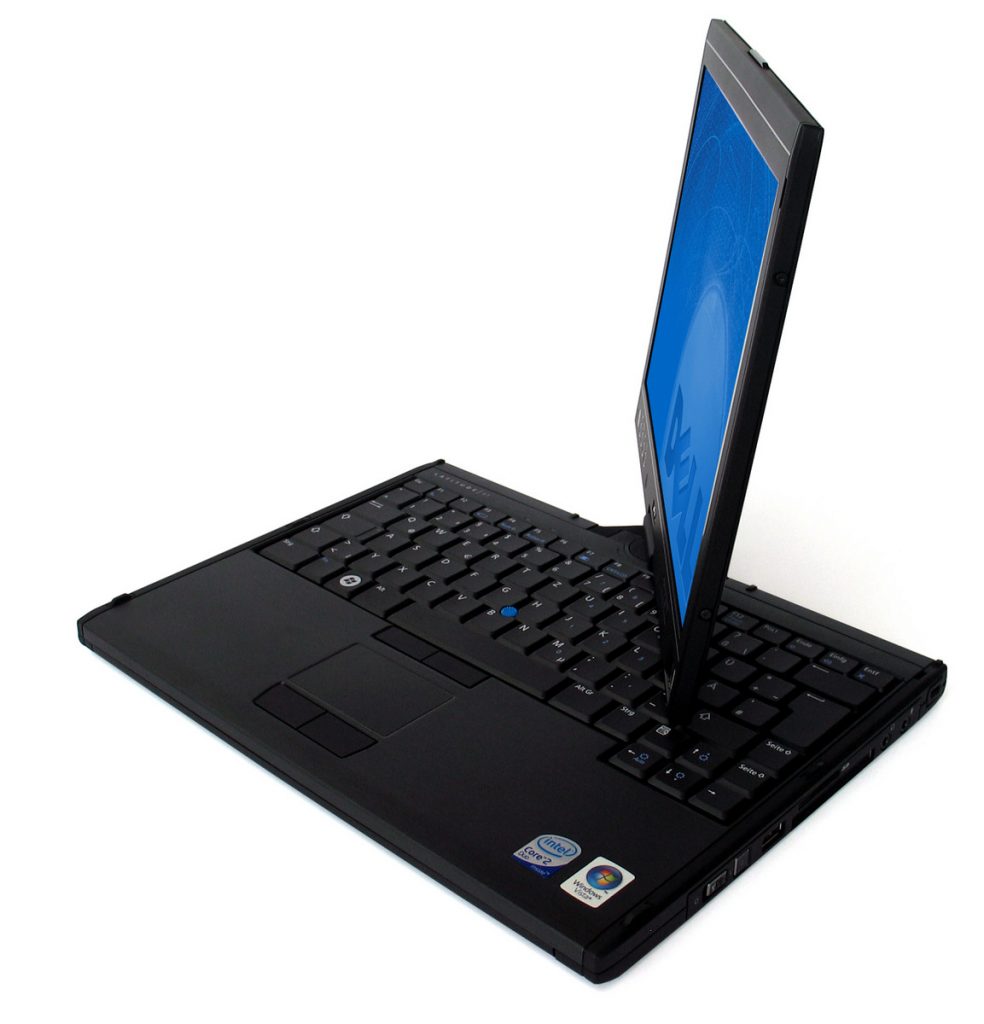
    The Dell Latitude XT is a tablet PC that was released at the end of 2007. When closed or first opened, it looks like a fairly typical laptop albeit a relatively small one. However, the screen can rotate and fold back so that it functions as more of a tablet when you want it to.

    Its specs include:

    • CPU: Core 2 Duo U7600 @ 1.2 GHz
    • RAM: 2 GB DDR 533 MHz
    • Hard Drive: Samsung HS122JC (120 GB)
    • Video: Radeon Xpress 1250
    • Screen: 12.1″ WXGA (1280 x 800) capacitive touch screen

    For more complete specs, check out the output from HardInfo.
    The “U” series of Core 2 Duo processors were low voltage. The advantage of course is increased battery life but that increased battery life comes at the cost of speed. The 1.2 GHz processor in this machine was the fastest available for this machine though there was a slower 1.06 GHz model available too.
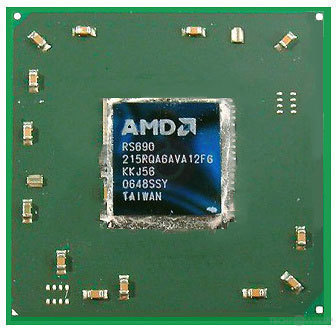
    The Radeon Xpress 1250 is an integrated graphics solution. It is based on a dedicated X300 GPU but shares memory with the rest of the system. It wouldn’t have been very good for modern games at the time but would have been ok with older games. It also supported Aero which was part of Vista’s interface. This was an important capability measure at the time for graphics hardware.

    The hard drive is the harder to find 1.8″ variety but at least it operates at 5400 RPM. A couple of the other hard drives that were available for this laptop when it shipped new were only 4200 RPM. The 120 GB model was also the biggest available at the time. You could also chose a 32GB or 64GB solid state drive.
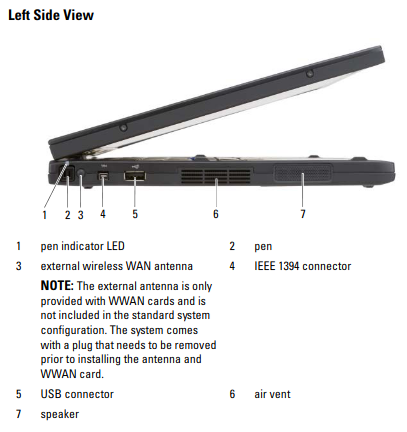
    The screen is a reasonable resolution, especially given the small size. This laptop would have shipped with Windows Vista or with Windows XP Tablet Edition. However, I’ve installed Xubuntu. For the most part it works fine but it does not seem to have drivers for the touchscreen capabilities. This doesn’t really bother me as I won’t really be using it as a tablet and don’t really need the touchscreen capabilities. I haven’t really looked into if there is a way to get the touchscreen working in Linux.

    As far as tablet PCs go, this seems like this would have been a pretty decent choice. However, tablet PCs always seemed like too much of a compromise to me. They tended to be relatively expensive compared to a traditional laptop. On the other hand, you lose out on some of the advantages of a laptop. You are sacrificing speed so that you can get reasonable life out of a smaller battery and for the same reason you aren’t getting very powerful graphics capabilities. For the same price, you could get a much more powerful laptop. True tablets, designed from the ground up to be so, were still a few years away with both the iPad and Android tablets being introduced in the 2010-2011 time frame. These were much cheaper as well as smaller and lighter than something like the XT.

    I use this machine like a laptop when I am using it as opposed to a tablet. Like any other machine I use it also runs BOINC. So far it has processed (or is processing) tasks for Einstein@home, Milkyway@home, Universe@home, Asteroids@home, and World Community Grid. Since The Core 2 Duo is a 64-bit CPU and I am running a modern version of Linux, it can work with most of my usual projects. You can also check out how it is doing overall at FreeDC.

  • PC Clones – Issue Number 1 – 1987

    PC Clones was a short-lived spin-off of Computer Shopper. I’m not sure what the point was as Computer Shopper already covered PC related stuff. I guess maybe they were trying to publish a more normal sized magazine vs. the phone book sized monstrosity that Computer Shopper was. The premiere issue from 1987 includes:

    Perspectives

    • The Djinn is Out of the Bottle – IBM’s open architecture approach to the PC made it easy for others to develop expansion cards and other add-on hardware. However, because IBM only protected their BIOS and licensed their OS from Microsoft, it made it easy for clones to be developed and ultimately take over.

    How to Buy a PC Clone

    • What You Need to Know – Some clones were more or less 100% PC compatible. Some were only software compatible and sometimes needed special versions of DOS or application software to be compatible with their special graphics modes or other differences. As time went on, things became more standardized.

    Powering Up

    • Getting Started with MS-DOS – A history and introduction to MS-DOS.

    Desktop Publishing

    • Desktop Publishing Comes to the PC – At this time, the Macintosh dominated the desktop publishing market. However, DOS was starting to make some inroads with a new LaserJet Plus printer from HP, Spellbinder Desktop Publisher, Ventura Publisher, and other developments.
    • Testing the Ventura Publisher – A detailed look at Ventura Publisher.

    Compatibility for the Future

    • 80386 Computers Star at Comdex – A few months earlier, Compaq had led the way with the introduction of the first 386 based PC. However, by this time most major vendors and 386 hardware available.
    • Compaq First in 386 Race – A look at Compaq’s original 386 based computers. The Deskpro 386 included a 16 MHz 386 CPU, up to a 130 MB hard drive, and could handle up to 14 MB of RAM.

    Hardware Techniques

    • Add An 80 Track Drive to Your PC Compatible – An 80-track drive is a 1.2 MB 5.25″ drive. At this time, most people were still using 40-track or low density 360K disks and drives.
    • Doubling a 20 Meg Hard Disk – This is an early example of disk compression software. This is a look at a product called Cubit. This kind of software would become more popular a few years later and ultimately this functionality would be included in DOS.
    • RLL Controllers: The 50 Percent Solution – RLL was the next evolutionary step in hard drives after MFM. It’s advantage was being able to get more sectors into each track, increasing capacity.

    Software Techniques

    • Switch to DOS 3.2? – DOS 3.2 added a number of features including support for 3.5″ disks, the XCOPY command, hard drive configuration functions, and more.
    • Whatever Happened to Concurrent DOS? – Concurrent DOS was a multitasking version of DOS published by Digital Research that was also capable of running CP/M software.
    • Look Out Peter Norton, Here Comes Paul Mace – Paul Mace + Utilities was a competitor to Norton Utilities but it must not have been a very successful one. I don’t even recognize the name.
    • Norton Utilities vs. Mace + Utilities – A comparison of Norton Utilities and Mace + Utilities.
    • Advanced Use of Batch Files – A tutorial for creating batch files in DOS.
    • Extended Batch Language – EBL is a freeware product that provides additional commands for batch files.
    • The PATH of Least Resistance – A guide to organizing your files in different subdirectories and using the PATH command.
    • A Pocketful of Freeware – An overview of various freeware products including SWEEP.EXE, F.EXE, IMCAP, PC-FLIST, List, and more.
    • File Facility – A utility that helps older DOS software that was designed before subdirectories were introduced in DOS to use subdirectories.

    Word Processing

    • Microsoft Word vs. Micropro Wordstar – A comparison of two of the most popular DOS word processing applications of the time.
    • For Lovers of Writing – A look at the latest version of XyWrite.

    Data Storage

    • Configuring Your Hard Disk Drive – This article covers things like setting the system date and time, setting the path, changing the prompt, starting memory resident programs, and more.
    • Managing a Hard Disk Drive – A guide to organizing and finding files on your hard drive.
    • Abort, Retry, Ignore? – A guide to recovering lost files or files from a damaged disk.

    Building Your Computer

    • Gullible’s Travails, or How I Built It – This author’s adventure in building a PC. All did not go as planned.
    • Do It Yourself – Assembling a PC – Another PC building adventure.

    Communications

    • LAN Sakes: It’s the Knowledge Network – An adventure in getting two incompatible systems to communicate over a local area network.

    Hardware Reviews

    • Commodore Comes Across with the PC-10 – Commodore, known more for the Commodore 64/128 and Amiga, released this low cost PC XT clone in the U.S. after having some success in Europe. It comes with either one 360K drive and 512K of RAM or two 360K drives and 640K of RAM and has lots of expansion room. It gets a pretty good review here.
    • The Wells-American A-Star – An IBM PC AT clone with an 8MHz 286 CPU, a 30 MB hard drive and 512k of RAM.

    Software Reviews

    • PFS First Choice – A low cost suite of software that includes Write, Draw, Plan, File, and more.
    • AutoCompare for MS-DOS and PCDOS – A utility that compares the contents of files.
    • Two Fastback Reviews – A look at Fastback, a backup solution that is much faster than what is included with DOS.
    • Duke Language Toolkit – A free software package for editing and creating EGA fonts.
    • Becoming an Expert Systems Expert – A look at an expert systems software package from Programs In Motion called EXPERT.
    • The SMART System – A software system that includes word processor, spreadsheet, database manager, communications, and time manager. Available separately or as a package.

    …and more!