• Tag Archives Dell
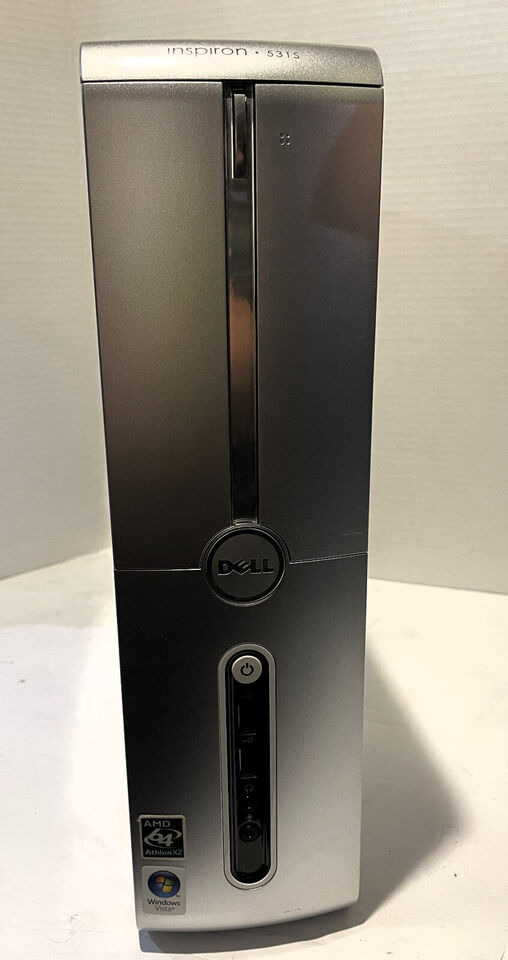
  • Digital Archaeology: Dell Inspiron 531s

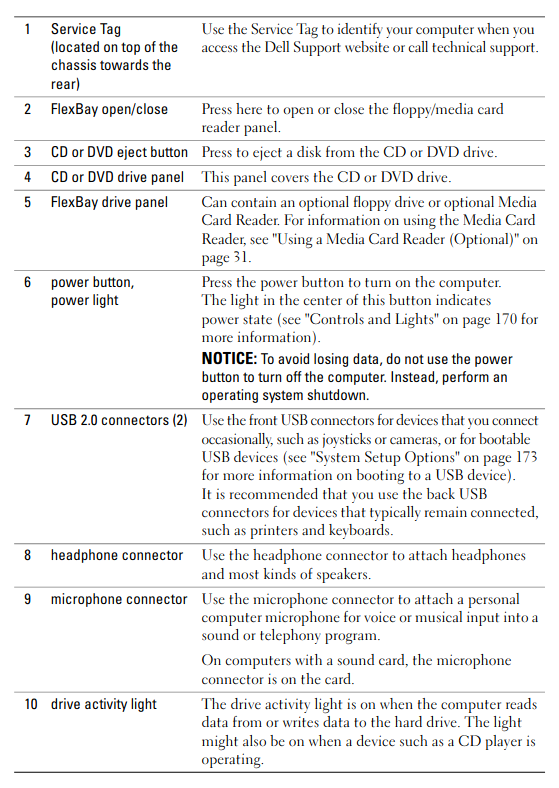
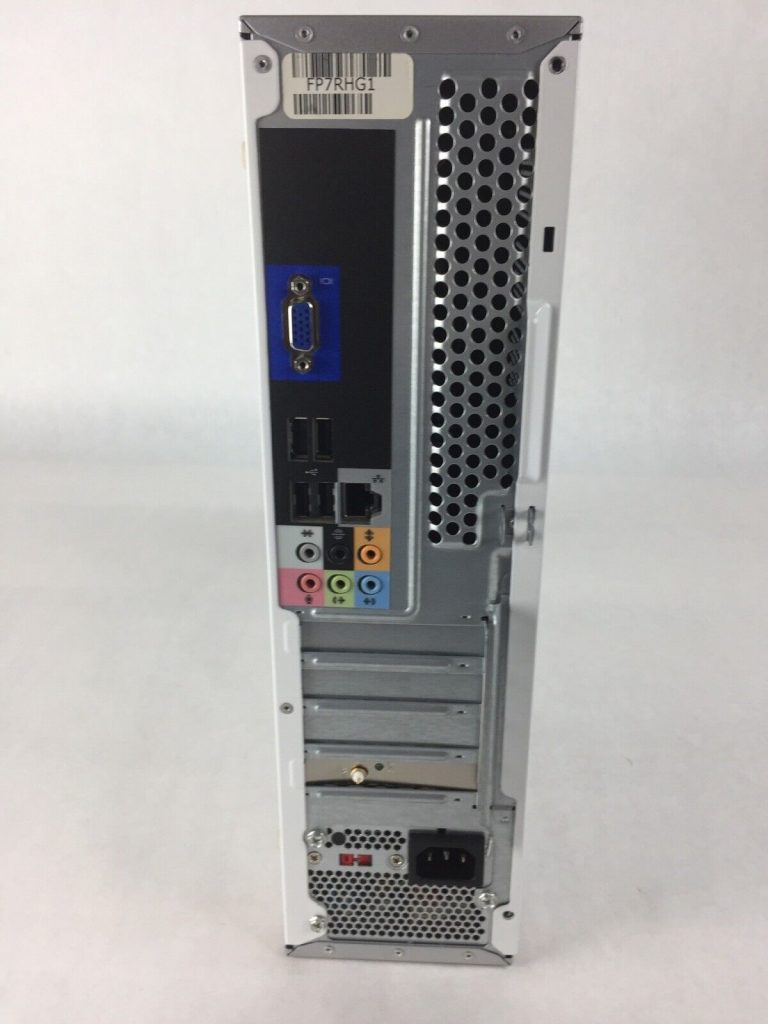
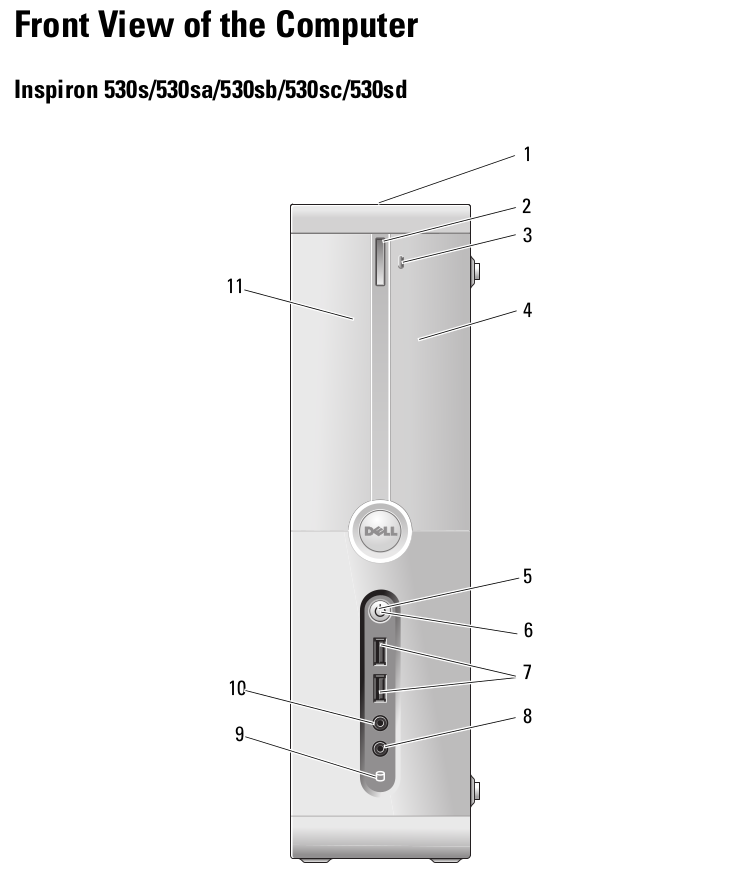
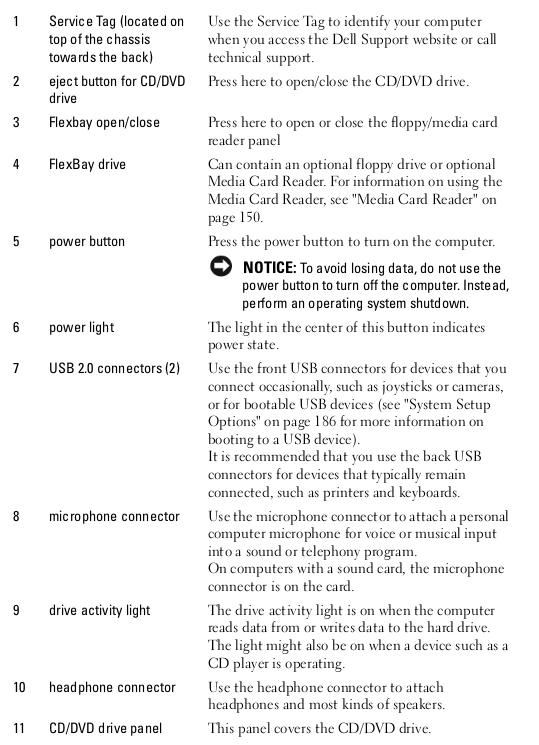
    The Dell Inspiron 531S is a slimline desktop. Dell made several models of a similar design in both Intel and AMD varieties. This particular one has a Athlon 64 X2 5000+. The Intel models (Core 2 duo based) used the 530s model designation. Hardware specs of this one include:

    • CPU: Athlon 64 X2 5000+ @ 2.6 GHz
    • Memory: 3 GB DDR2 @ 800 MHz
    • Video: GeForce 6150LE

    For more complete specs, check out the HardInfo report.
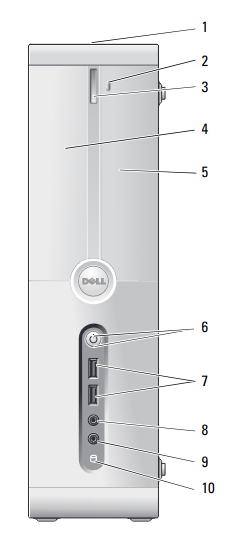

    When this desktop was contemporary, this CPU was reasonably fast. the GeForce 6150LE is part of the chipset and for an integrated solution, it was pretty good for the time but if you wanted to do gaming, you would still need a discrete GPU.

    The 3GB of RAM was pretty typical for the time. The reason being that, despite the fact that most CPUs were 64-bit by this time, Windows and most apps and drivers were still primarily 32-bit. This machine shipped with Windows Vista. There was a 64-bit version of Vista but most OEM PCs shipped with the 32-bit version. By the time 64-bit drivers for more devices were widely available, I think things were already moving on to Windows 7. Vista was not very popular.
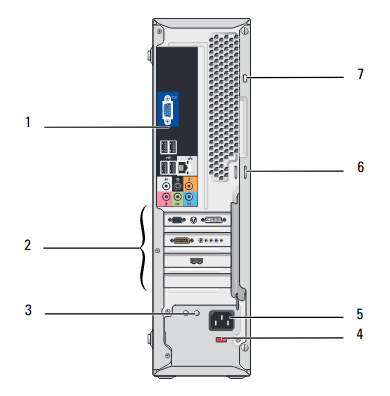
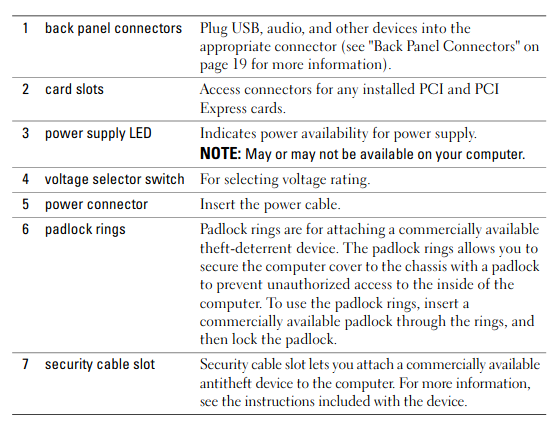
    The fastest officially supported CPU on this machine is the Athlon 64 X2 6000+ which runs at 3.1 GHz (Socket AM2). This would be a modest upgrade with, very roughly, a 20% increase in performance. More significant upgrades would be the addition of a discrete GPU and an SSD. Moving up to 4GB would be helpful too.

    Given the small size and limited power supply, the GPU selection will be limited. Something like a GT 1030 or some other card that doesn’t require an external power connection would be the best card that would work for this machine. It would have to be a low profile card with associated low profile bracket. This would still be a massive improvement over the integrated video.
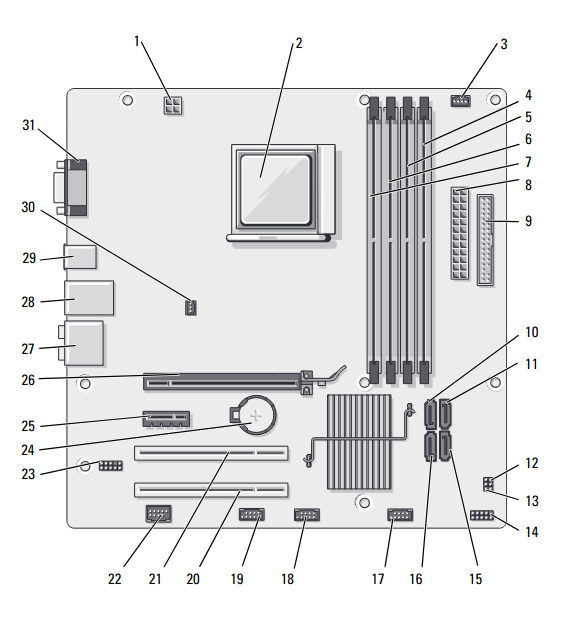
    This machine has an issue that I haven’t been able to work out yet. When ever I move the window for the BOINC application, the screen scrambles and the computer freezes. I’m not sure if this is a software or hardware problem. I don’t seem to have issues with any other application nor do I have problems using the BOINC app (provided I don’t move the window around) or any of the projects I run. There’s no temperature problem and otherwise it seems perfectly stable. However, I’ve run this version of Linux and BOINC on other machines with this chipset (though perhaps later revisions?) without any problem. I was going to try adding a discrete GPU. I have one that is small enough but I don’t have a low profile bracket handy. At this point, it’s been running with 100% CPU activity for a few days now with no problems so I’m not convinced this is a hardware problem.

    Speaking of BOINC, this PC is still capable of running most of the projects I normally participate in. These projects include Einstein@home, Asteroids@home, Milkyway@home, Universe@home, World Community Grid, and Rosetta@home though 3 GB is a marginal amount for trying to run Rosetta tasks. You can see how it is doing overall at FreeDC.

  • Digital Archaeology: Dell Inspiron 530s (upgraded)

    I’ve covered this machine for in an early edition of Digital Archaeology but I just recently upgraded it. This is a slimiline system that doesn’t have a whole lot of upgrade potential but I decided to go ahead and upgrade the CPU. the original CPU in this system was the Pentium Dual Core E2200.

    Hardware in this machine originally included:

    • CPU: Pentium Dual Core E2200 @ 2.2 GHz
    • Memory: 3 GB DDR2-666 MHz (PC2-5300)
    • Video: Intel 82G33/G31 Express Integrated Graphics

    The only upgrade I made to this machine was to replace the CPU with a Core 2 Duo E8500. At a 3.1 GHz base clock it is almost 50% faster based on clock speed alone. In addition, it has a much larger cache at 6MB as well as other improvements.

    For more complete hardware info, check out the updated report from HardInfo.

    I opted for the E8500 because I have a couple of them lying around. I believe they are leftover from when I upgraded a couple of other machines to quad core processors. The fastest supported CPU by this machine is the E8600 which is only a touch faster. Apparently, some versions of this model can accept a quad core CPU but it requires a certain motherboard revision and an upgraded power supply. So while the choice of the E8500 was one of convenience, it’s also pretty close to the best CPU I could use anyway.


    The actual CPU upgrade was quick and easy. Simply remove the four screws holding the CPU fan/heatsink in place and remove it (and clean it), pop out the CPU, place the new one in, apply new heatsink compound and screw the fan/heatsink back on again. I did not follow the common advice of updating to the latest BIOS before the upgrade and decided to YOLO it instead. This came back to bite me a little but ended up not being a big deal.

    When I first turned it on after the upgrade, it posted fine but froze in the middle of booting my Linux install. When I entered the BIOS setup, it seemed to recognize the CPU correctly but was reporting the cache at 0 which seemed odd. I decided to try updating the BIOS…without putting the old CPU back in…another YOLO moment, LOL.

    I used Rufus to create a bootable USB with MS-DOS 6.22. I copied the latest BIOS upgrade to the same USB device and booted the system with it. Turns out the BIOS update went fine and afterwards I was able to boot successfully. I don’t recommend taking these kinds of risks with a system that is important to you. Always update the BIOS before a CPU upgrade and if you don’t and things don’t work out, you should replace the original CPU before attempting a BIOS upgrade to resolve the issue. Things worked out fine in my case but if the system had froze mid update or something else went wrong, it could have FUBARed the BIOS making the system unusable and without an easy repair path. In this case, I was just experimenting with an old PC I am not particularly attached to.

    Right now, this system only has 3 MB of RAM. However, there are four memory slots and it will accept up to 8 GB. This would definitely be a worthwhile upgrade and one I may do at some point. It’s also possible to add a GPU but it would have to be a low power, low profile model. I suspect that an nVidia GT 1030 is the best reasonable option. There are probably also a couple of AMD/ATI models that would work. I might do such an upgrade but only if I happen to come across an extra low profile card that will work. I won’t go out of my way to get one.

    Like all the machines I use, this one has BOINC installed and connected to various projects including Einstein@home, Asteroids@home, MilkyWay@home, Rosetta@home, and World Community Grid. You can see how it is doing at FreeDC.


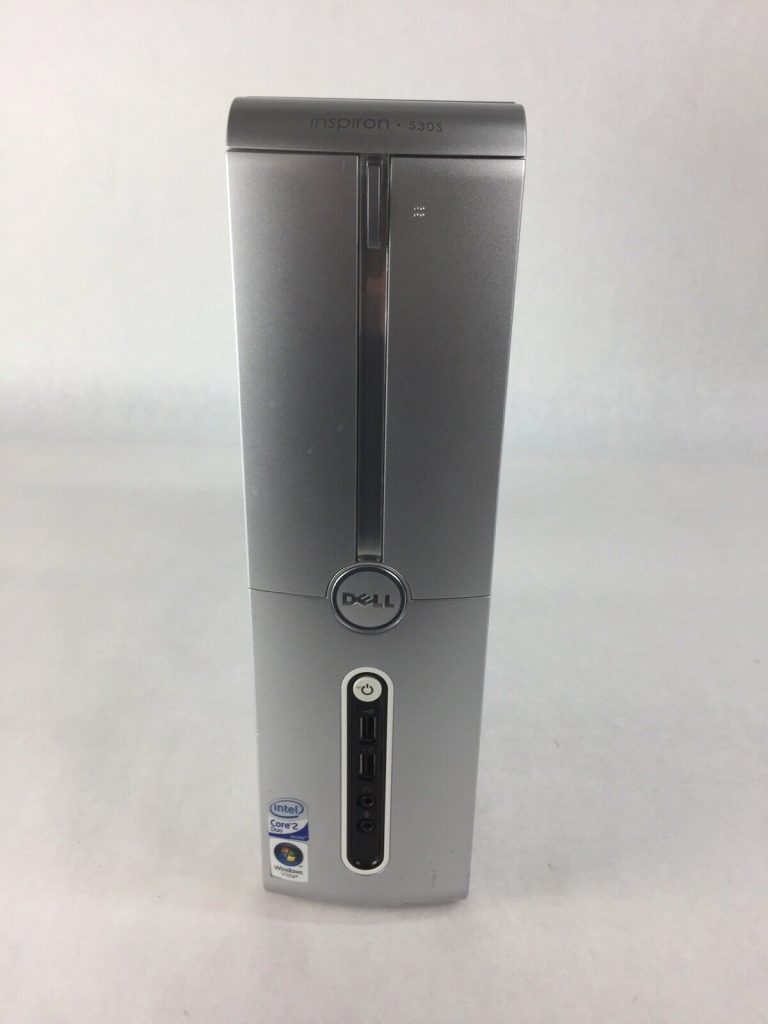
  • Digital Archaeology: Dell Inspiron 530s

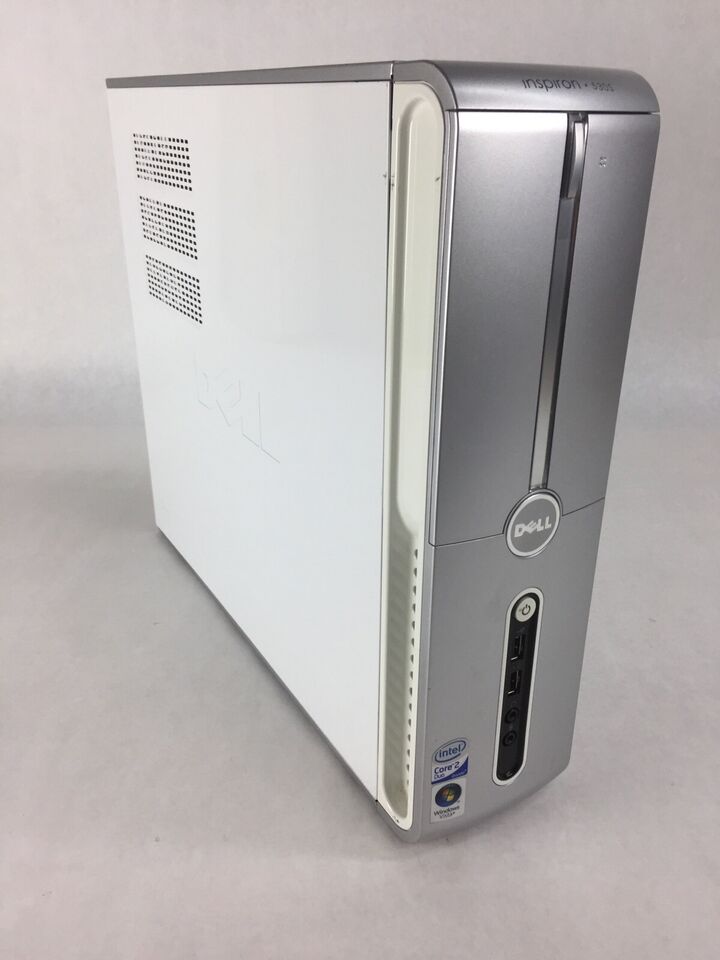
    Physically, the Dell Inspiron 530s is identical to the 531s which I have looked at previously. Both are slimline systems. The difference is entirely with the internals. While the 531s is AMD based, the 530s is Intel based. The 531s I have has a Athlon X2 5000+ while this 530s has a Pentium Dual Core E2200.

    Hardware in this machine includes:

    • CPU: Pentium Dual Core E4600 @ 2.2 GHz
    • Memory: 3 GB DDR2-666 MHz (PC2-5300)
    • Video: Intel 82G33/G31 Express Integrated Graphics

    For more complete hardware info, check out the output of HardInfo.

    The E2200 is a low-end CPU. For some reason, Intel decided to co-opt what was once their flagship CPU name and relegate its usage to bargain CPU choices. Core 2 Duo era Pentiums were basically Core 2 Duos with less cache (1 MB of L2 instead of 2 MB in this case). It is significantly slower than the Athlon X2 I have, on the other hand, it can be upgraded to a significantly faster CPU. The Intel based 530s has far more of an upgrade path than the AMD based 531s.


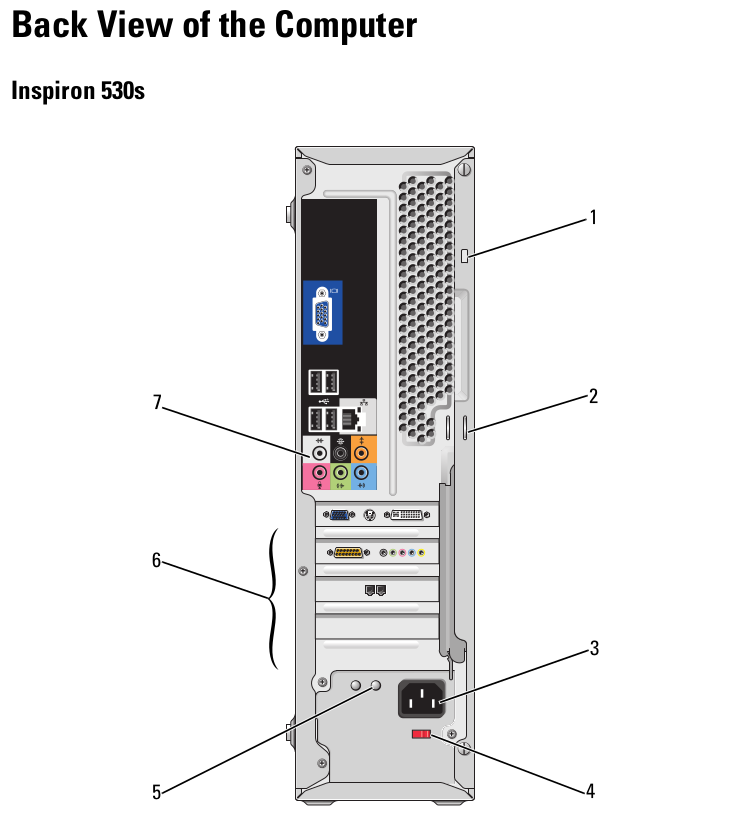
    The integrated graphics of the Intel based 530s is not as good as the AMD based 531s but they are both so low end it doesn’t really make much of a difference. Like the 531s, the 530s has a slot for a video card so it is upgradeable but the limited power supply limits your choices. The best you can probably put in this is something like a GT 1030 which is actually pretty good for the CPUs this supports. A significantly faster card would be bottlenecked by the CPU. However, if you do want to push it a little further you can upgrade the power supply. While the TFX form factor is somewhat more obscure than ATX, it’s still a standard and you can still find them. I’ve seen ones up to 500 watts. Then you are limited only by what will fit and that you can reasonably cool in the small case.


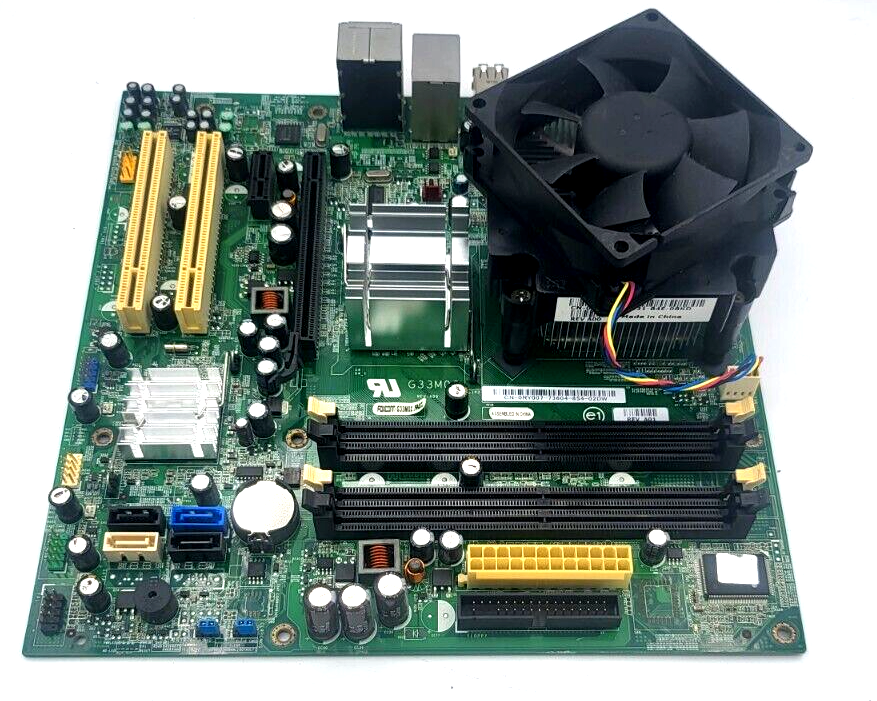
    There are four slots for memory which is pretty good for a slimline system. I might have expected only two. You can upgrade this machine to 8 GB (up to 2GB in each slot) which is better than some Core 2 Duo based systems.

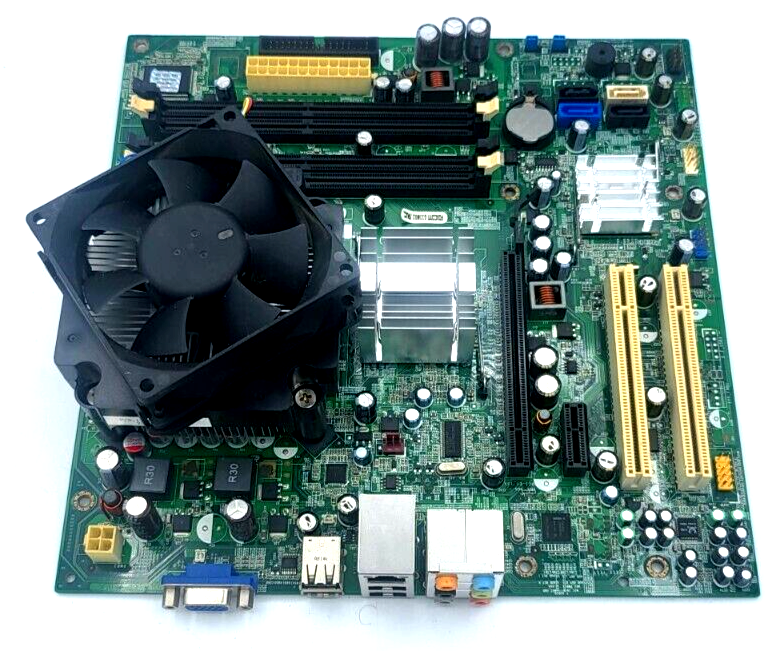
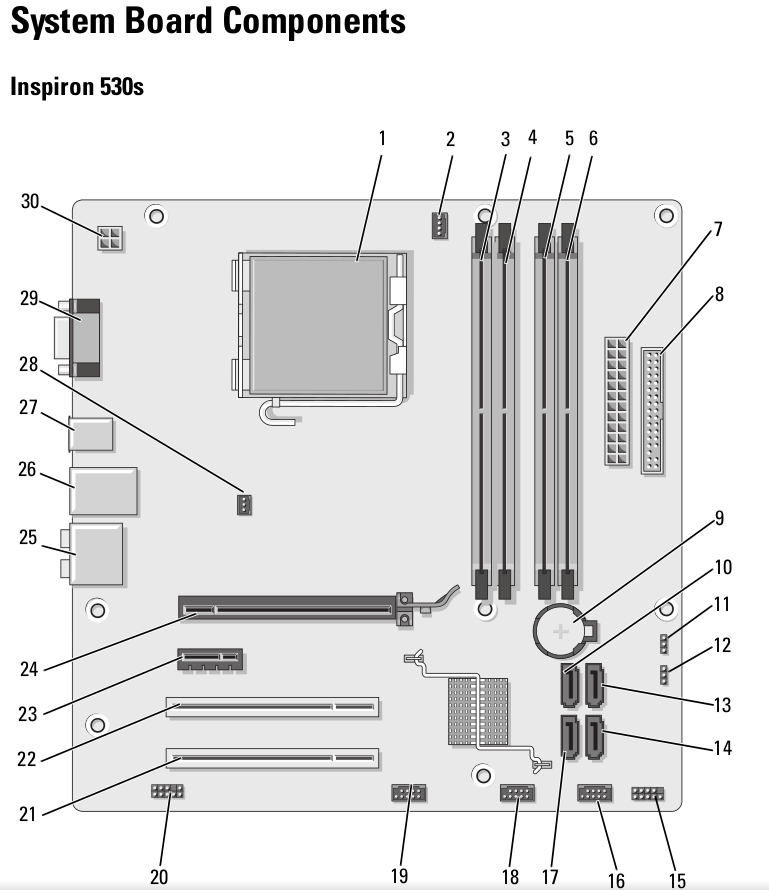
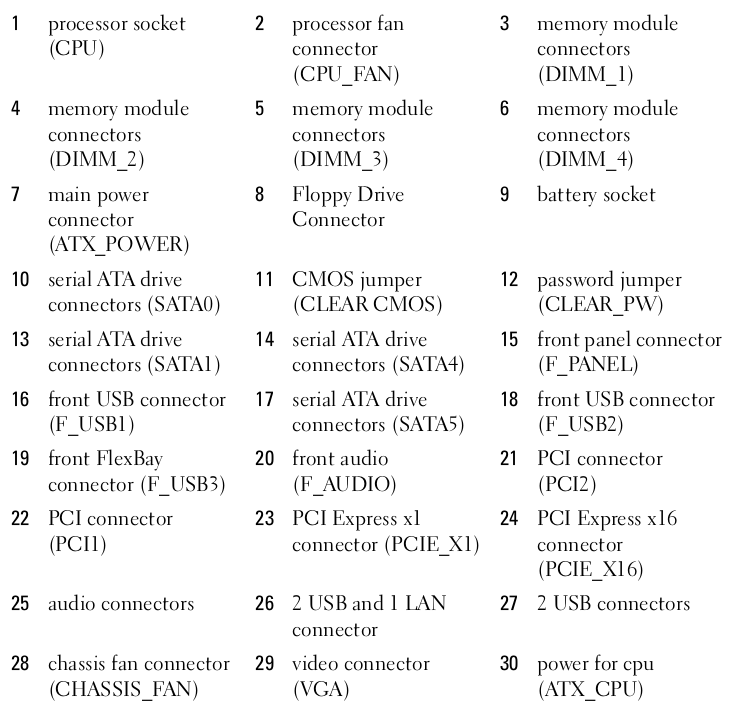
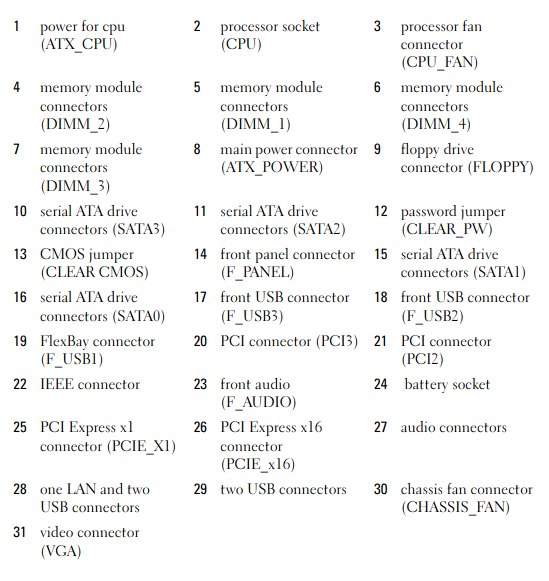
    The motherboard is a fairly standard Micro ATX board. However, the 530s does not have a removeable backplate making an upgrade a bit more of a challenge. The case is actually fairly nice and uncluttered for a small case. However, if you really want to reuse it with another motherboard, be prepared to do some surgery.

    At the end of the day, sticking a Core 2 Duo E8600, an SSD, and 8 GB of RAM is probably the best that is reasonable to do. That would actually make it useable in Windows 10 or Linux. I’m using Linux Mint now with an SSD and only 3 GB and it performs ok though I wouldn’t try to open 100 tabs or do anything else terribly intensive.

    Like all the machines I use, this one has BOINC installed and connected to various projects including Einstein@home, Asteroids@home, Universe@home, MilkyWay@home, Rosetta@home, and World Community Grid. You can see how it is doing at FreeDC.