

A summary for those that haven’t been keeping up with this series:
I found a number of 5.25″ disks at a thrift store a number of years ago (sometime in the late 1990s to the best of my recollection). I finally got around to acquiring a 5.25″ disk drive and extracting the contents a several years back. Since then, I have been occasionally posting the content here.
Based on the contents, most or all of these disks were apparently once owned by someone named Connie who used to run the “Close Encounters” Special Interest Group (SIG) on Delphi in the mid 1980s.
The following description of this SIG was found in a document on one of the disks: “This SIG, known as ‘Close Encounters’, is a forum for the discussion of relationships that develop via computer services like the Source, CompuServe, and Delphi. Our primary emphasis is on the sexual aspects of those relationships.”
This service was text based and was accessed via a modem and whatever terminal program you had available for your computer to dial in with. Many of these disks have forum messages, e-mails and chat session logs. All of this is pre-internet stuff and I am not aware of any archives in existence today that contain what was on Delphi in the 1980s.
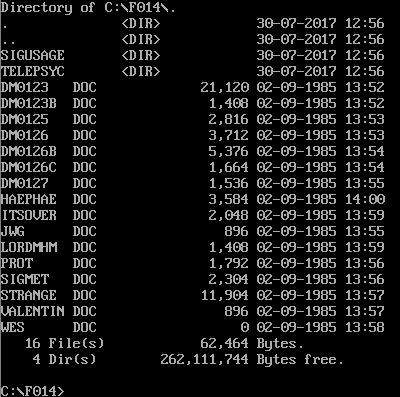
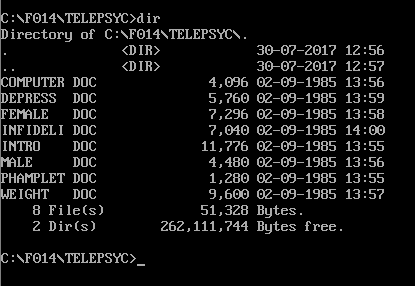
This post includes the contents of DEPRESS.DOC. This file is dated September 2nd, 1985 and is in a subdirectory called TELEPSYC. This is an article on depression and its different categories. No name or other credit is listed in the file. I tried doing a web search on a few strings from this article but couldn’t find anything so I’m not sure who wrote it. I believe this article came from a special interest group or some other kind of feature or area on Delphi called “TelePsych”.
=-=
DEPRESS.DOC
=-=

—
         DEPRESSION

Let's break the subject down into three parts:  Major
depression, minor depression, and normal depression.

MAJOR DEPRESSION   This is a severe and potentially life
threatening illness (because of the danger of suicide.)  It is
very frequently unrecognized and untreated.  Three to ten
percent of the population will suffer from major depression
at some time in their lives.  The symptoms of major depression
are: frequent feelings of sadness and despair, frequent
feelings of anxiety, loss of appetite, sleep disturbances,
gastrointestinal problems, loss of sexual desire, unexplained
physical symptoms, restlessness, sluggishness, loss of ability
to feel pleasure, loss of former interests, and feelings of
worthlessness. Usually, only some of these symptoms are
present, and they may change over a period of time.

You should not depend on self help if this is your problem.
It is unlikely to be successful.  You need professional
treatment.  Many depressed people fail to seek help because
they illegitimately feel hopeless or unworthy of help.
Major depression is a treatable illness!

Major deression occurs more frequently in women than men,
although this may be because many men with major depression
drink heavily and are diagnosed as alcoholics.  Major
depression may be disguised as alcoholism, drug addiction, or
mysterious physical illnesses (especially lower back pain).
Major depression becomes a greater risk with increasing age.
Predisposing factors are a tendency to milder depression
earlier in life, close relatives with major depression or
suicide, overwhelming stress continued over a long period
of time, serious prolonged illness, chronic pain, or a
devastating personal loss.

Treatment of major depression should include psychotherapy
with or without antidepressant medication.  Your counselor
will advise you regarding the most appropriate form of
treatment.  I advise you to seek the help of a psychologist or
psychiatrist if you think you have major depression.  Many
family physicians will prescribe antidepressants without
psychotherapy, or with a little bit of office counseling.
This is a mistake, in my opinion.  Optimum response from
antidepressant drugs is obtained when they are combined with
therapy.  If you have a history of mania, that is, episodes
of extraordinary energy, ambition, enthusiasm, irritability,
decreased need for sleep, and so on, and you are now very
depressed you may have manic depressive illness.  If it is
severe it must be treated with lithium.  It will not go away
by itself, it will not get better with self help or counseling
alone, and it will probably get worse with age.  Go see a
psychiatrist right away.

It is current to explain major depression as a "chemical
imbalance" in the brain.  This is speculative and certainly
unproven.  There is a blood test frequently used today (the
dexamethasone suppression test) that some doctors claim
diagnose this putative chemical imbalance.  This is simply
incorrect.  It is an interesting research area but the results
are essentially meaningless, as many normal people have
abnormal results, and many depressed people have normal
results.  The chemical imbalance point of view is particularly
unfortunate because it discourages people from seeking
pychotherapy, which is proven to be a necessary part of
treatment for major depression.

MINOR DEPRESSION  This involves feelings of sadness, despair,
anxiety, and loneliness, without serious sleep disturbance,
physical symptoms, impairments in judgment, or ability to get
through the day and function more or less normally.
It is extremely common, although most people go to great
lengths to conceal it from the people around them.  You can
attempt self help, although you would probably feel better
faster and stay better longer if you sought psychotherapy.
If you want to begin with self help, try the following
approaches:

1.  Do not hide from your crummy feelings.  Instead, confront
ahem honestly.  Keep a daily journal of your private thoughts
and feelings. Do not take your misery at face value.  Explore
it.  What are the thoughts, feelings, memories,
disappointments, and fears behind it?

2.  Be vigilant for self-condemning thoughts.  Learn not to
accept them automatically.  Learn to forgive yourself for your
flaws, failures, and mistakes.  As you write in your journal,
catch your self-condemnations, and rethink them in more self
accepting terms.

3.  Expand your repertoire of pleasurable experiences.  Think
over pleasurable things you used to do that you have given up.
Can you take them up again?  Have fantasies about new
experiences you would experience as gratifying.  Challenge
yourself to bring new pleasure into your life.  These do not
have to be "big" or expensive experiences.  Frequent moments
of small pleasures is probably preferable.

4.  Experiment with self nurturing.  Imagine yourself as a
scared and lonely child.  What can you do for this child to
help him or her feel better?

5.  Do not think of mild depression as a totally negative
experience.  Think of it as "feedback" from your unconscious
mind informing you of changes in the direction of your life
that you need to consider.

6.  Get frequent aerobic exercise.

NORMAL DEPRESION   It is normal to feel somewhat depressed for
a period of weeks or months after a major loss,
disappointment, or disruption in your life.  Do not make it
worse by forcing yourself to have an artificical "positive
mental attitude".  Accept yourself as having a tough time and
take it easy on yourself for awhile.  Take time to feel your
sad feelings.  Rest more, and defer demanding new projects.