• Tag Archives AMD
  • Digital Archaeology: Dell Latitude D531

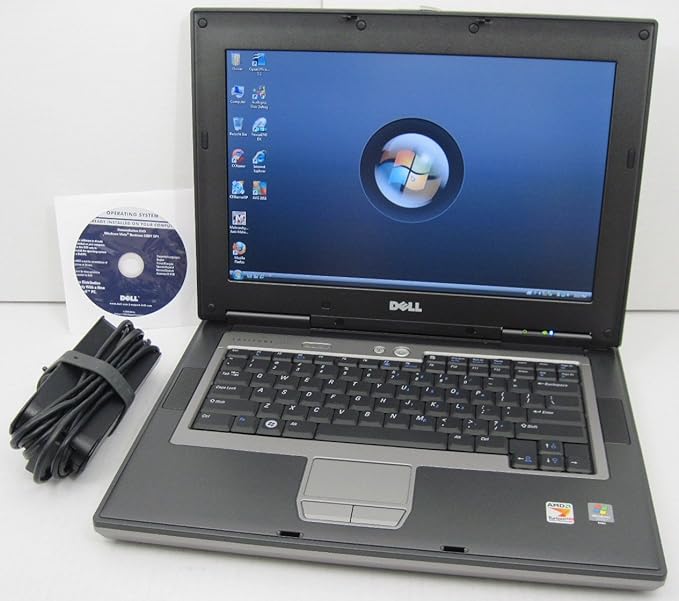
    The Dell Latitude D531 is an AMD based laptop. The Latitude was Dell’s business line of computers. Recently, they’ve changed their naming schemes to be much more generic as if to obfuscate things. The vast majority, even at this time, were Intel based. However, the D531 was released as a budget model.
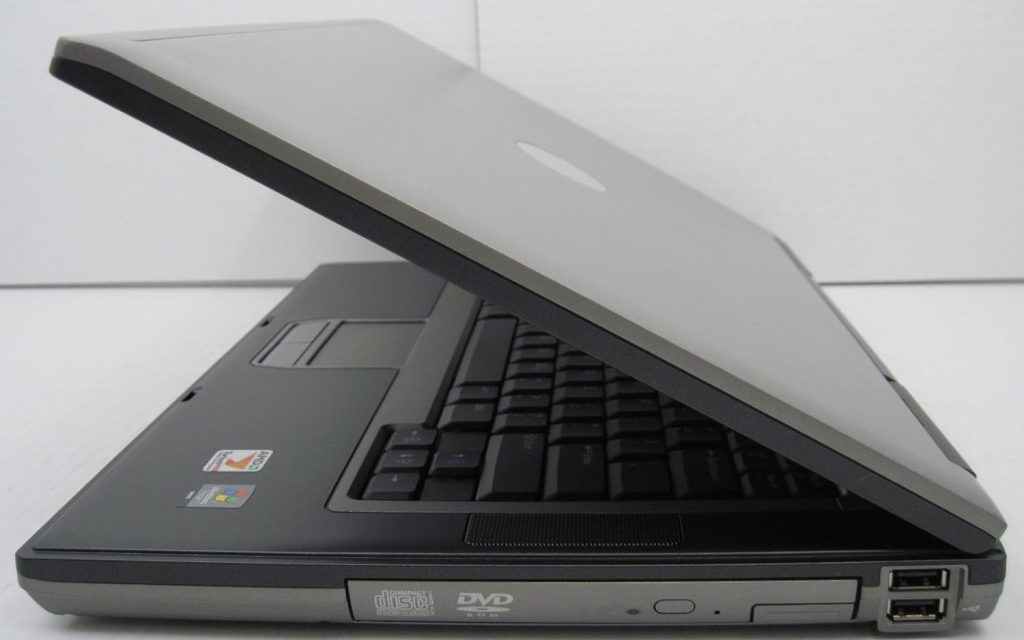
    Basic stats include:

    • CPU: AMD Turion
    • RAM: 3 GB
    • Video:
    • Screen: 1280×800

    For more complete specs, check out the output from HardInfo.

    AMD based laptops at the time tended to be lower end units. The reason being that AMD processors were slower than their contemporary Intel counterparts and less power efficient. The advantage in this case is that you got a bargain priced machine with the build quality of a typical Latitude. Whereas many AMD based laptops might have crappy keyboards, lower quality displays or flimsy chassis, that was not the case here.

    In addition, despite the AMD options being slower, this wasn’t necessarily noticeable if the machine was being used for basic office tasks, which many Latitude’s probably would be. However, the extra battery life of a Core 2 Duo based machine would be an advantage if you were often using your laptop for extended periods disconnected from an AC outlet.

    There’s not a significant amount of upgrade potential with this laptop. There are faster AMD processors that would work in it but it wouldn’t make a huge difference. The current 3GB of RAM can be upgraded to a maximum of 4GB. Like most older laptops, upgrading to an SSD would probably be one of the best upgrades you could do. The fact that at least 8 GB of RAM is not supported is always disappointing in a 64-bit system.

    Though this laptop can technically run Windows 10, it won’t perform very well especially given the maximum limit of 4 GB of RAM. Windows XP should be lightning fast on this machine and Windows 7 should run reasonably well. Linux will run OK as well. It’s really modern web browsing that suffers the most on older hardware like this. Currently, I’m running Xubuntu on this machine.
    Like all machines I use, this one has BOINC installed and crunches various tasks when it is on. It is still capably of crunching tasks for all of the projects I normally participate in including Einstein@home, Milkyway@home, Asteroids@home, Universe@home, Rosetta@home, and World Community Grid. You can see how it is doing overall at FreeDC.


  • Digital Archaeology: Dell Inspiron 1501

    The Dell Inspiron 1501 was released in 2006 as a budget friendly laptop. Part of what determines whether or not a laptop is low end or high end isn’t just the specific components that are used but the timing of its release. For instance, the Athlon 64 was a high-end processor when released. However, the mobile version, the Turion 64, was somewhat late to the game. In particular, by the time it was included in this laptop, there were better things on the market. The Core 2 Duo was released the same year as this laptop.

    While the CPU may be a matter of timing, the graphics solution in this laptop was always low end. The Mobility Radeon Xpress X200 was basically the ATI’s answer to Intel’s integrated motherboard video solutions. It was perhaps a little better but not enough to make a difference. Certainly not good enough to play then modern games very well.

    Specs of this laptop include:

    • CPU: AMD Turion 64 MK-36 @ 2 GHz
    • RAM: 3 GB DDR2
    • Video: Mobility Radeon Xpress X200
    • Screen: 1280×800

    For more complete stats, see the output of HardInfo here.

    I’m not sure what the stock memory configuration was. Maybe 1 GB. The manual states that the maximum RAM configuration is 2 GB but clearly that isn’t true. This laptop has 3 GB and I suspect 4 GB would probably work. That’s plenty to run Linux though for a Microsoft OS I probably wouldn’t try to go past Windows 7 though I’m sure Windows 8 would work and at least early builds of Windows 10 as well. It shipped with Windows XP and was labeled as “Vista Compatible”.

    The screen is a reasonable 1280×800 which is a nice step up from what would have been a common 1024×768. For a low-end laptop the somewhat higher resolution is a nice feature.

    The biggest limitation of this laptop for modern usage is the fact that it is single core and that the memory is limited to 4 GB. Still usable for light tasks but you definitely don’t want to start opening a lot of tabs in a browser. However, the fact that it has a 64-bit CPU means that it will probably work with updated Linux versions for years to come.

    As a retro machine, it is going to be somewhat disappointing for games because of the lousy video chip. No doubt you can play games that are quite a bit older than when this laptop was released but contemporary games would, at least in large part, be out of its reach. Otherwise, I’m sure Windows XP would be lighting fast, especially for applications that don’t do a lot of multitasking (the CPU being single core).

    Like all the other hardware I run, both old and new, I have this one crunching away on various BOINC projects when it is running. So far it has done work for Asteroids@home, Universe@home, Einstein@home, Rosetta@home and World Community Grid. You can also check out how it is doing overall at FreeDC.

    The images above were taken from the Dell Inspiron 1501 Owner’s Manual.


  • Digital Archaeology: Sony Vaio PCG-FXA49

    It seems that all laptop makers like to use confusing model numbers. Sony seems to have been no different. This particular model is the Vaio PCG-FXA49. If there is anything to be derived from those seemingly random numbers and letters then I don’t know what it is. Except that I’m pretty sure every Vaio notebook ever made started with ‘PCG’.

    Over the years Vaio notebooks ranged from bulky and thick to thin like most others. This one is somewhere in the middle but tends more towards the bulkier side. But somehow even the bulky models seem futuristic. Sony was always pretty good at that aesthetic. However, the hardware inside was always pretty middle of the road at best and I also think their notebooks and computers in general tended to be overpriced.

    The PCG-FXA49 features:

    • CPU: 1200 MHz Mobile Athlon 4
    • Memory: 512MB PC100 SDRAM
    • Video: ATI Rage Mobility P/M with 8MB (AGP 2X)
    • Hard Drive: Hitachi DK23CA-30 (ATA-100, 30GB, 4200RPM, 2MB Cache)
    • Optical Drive: Matsushita UJDA720 DVD/CDRW

    While it has ethernet, one important thing it is missing is Wi-Fi. Fortunately, there are two cardbus slots so it is easy to add a wi-fi card.

    Go here for more complete specs as reported by HWiNFO.

    Screen shot

    The CPU is somewhat interesting and I have never used a computer with this particular model. The Mobile Athlon 4 turns out to have been in reality the first Athlon XP. It has the same Palomino core as the first desktop Athlon XPs. I think they went with the “Mobile Athlon 4” name to make it obvious that it was competing with the Pentium 4M (the mobile Pentium 4 variant). When AMD went to the next iteration with the Thoroughbred core, they renamed their mobile processor to the Mobile Athlon XP-M.


    Mobile Athlon 4 1200 CPU

    Being one of the first Athlon XP processors, this one is slower than any desktop variant at only 1200 MHz. It also has a slower bus speed than any desktop variant at 200 MHz whereas the desktop versions started at 266 MHz. This particular laptop also uses SDRAM and most desktop Athlon XPs would have used DDR (though there were some motherboards that could take regular SDRAM as well). However, these compromises helped lower the power requirements which is useful for laptops.


    Block diagram from service manual

    In terms of speed, the Mobile Athlon 4 probably fell somewhere between the Pentium III-M and the Pentium 4M. However, because the Mobile Athlon 4 was a cheaper chip, it was usually packaged with other cheaper components so as a whole, Mobile Athlon 4 based laptops were often slower and lower end.


    Exploded parts diagram from service manual

    The ATI Rage Mobility in this laptop is a pretty good demonstration of this. It was a common video solution on lower end laptops. It was at least a discreet graphics chip so it could certainly be worse but as far as mobile 3D cards of the time are concerned it was near the lower end. Also, the 4200 RPM drive is pretty slow. This speed was not uncommon in laptops but higher end laptops would have something faster. Then the screen itself is another example. This laptop has a fairly large and nice looking screen but the resolution is only 1024×768. Another compromise already mentioned above is the SDRAM. Many (though not all) Pentium 4M based laptops used DDR memory.


    Specs

    Still, the Mobile Athlon 4 was certainly competitive and the desktop Athlon XP would beat out the desktop Pentium 4 for a while. It was really the slightly later Pentium M and its lower power use that was difficult for AMD to compete with. Even when AMD has been competitive or even beat out Intel on the Desktop, Intel has always dominated the mobile market. That seems to be true even today.

    The 32-bit single core CPU and a maximum memory capacity of 512MB really kill this laptop for any modern usage, at least if you want to use a modern OS or web browser. However, it can still crunch tasks for both Einstein@home and MilkyWay@home and probably other BOINC projects as well, even with only 512 MB of RAM, though it certainly won’t break any speed records. Click the links above to see how this laptop is doing or check out FreeDC.