• Tag Archives AMD
  • Digital Archaeology: Compaq Presario 2240

    Is the Compaq Presario 2240 a retrocomputing pleasure or a piece of junk? It turns out that those are not mutually exclusive categories. If you were a PC power user in the late 1990s looking at computers, then this particular PC would have looked like one of the biggest pieces of junk out there. However, from the perspective of nostalgia, the unique though flawed design helps to make it a fun and interesting machine.

    So what is so bad about this machine that some would look on it as a piece of junk? First some basic specs:

    CPU: AMD K6-200 w/256KB pipeline burst cache on the motherboard
    Memory: 32MB 66MHz SDRAM standard (currently 48MB)
    Video: S3 Trio V2/DX w/ 1MB
    Hard Drive: 2.1 GB (currently using 64GB compact flash)
    Sound: ES1888 Audio Drive

    Of course those don’t mean a whole lot without the context of the time this machine was available and the cost. As far as cost, this computer (without monitor) retailed for $799 though I’ve seen another document that says $1200 so I’m not sure. But it could have easily varied by that much through the course of a year. It would have been in stores some time in 1998. I found an announcement for it dated January 1998 and have seen claims of it being purchased at the end of May 1998. For some context, I got my 333MHz Pentium II based Gateway 2000 computer on Christmas 1997.

    To be fair, this was meant to be a low-end, inexpensive computer. There is also nothing wrong with the AMD K6-200. It was actually faster than the Pentium 200MMX in most benchmarks. The problem comes from the fact that this computer was already borderline obsolete at its introduction combined with the fact that it was hamstrung by extremely limited upgrade options.

    Want to upgrade the CPU? Too bad. Though the motherboard is Socket 7, it does not support the required voltages for newer, faster processors. In theory, I would think you could at least get a K6-233 or Pentium 233MMX to work but apparently, from what I have read, that is not the case. So 200MHz is as fast as you will ever get.

    Ok, well at least you can add some more RAM, right? This system shipped with 32MB of RAM. 16MB is soldered on the motherboard and there is a single SDRAM slot that includes a 16MB module. Unfortunately, the largest module that this machine will recognize is 32MB. That means you can go from 32MB of RAM all the way up to 48MB of RAM. That’s a pretty mediocre amount (at best) even for 1998. I believe my Pentium II purchased up to 6 months before this machine was available came with 64MB. In any case, it was definitely expandable up to 384MB and had three slots.

    Ok, well at least you can add a kick-ass video card (for the time anyway), right? Maybe… The built-in solution is PCI and you do have a single PCI slot to work with. However, the built-in S3 solution is a pretty solid paring with this CPU and anything much more powerful might be overkill. Also, the power supply is only 75 watts. A PCI slot can provide up to 25 watts but I’m not sure I would want to push it that far. I’m not sure what the typical PCI gaming card consumed but I would be nervous about putting anything too power hunger in that slot. Since there is not built-in networking, I’m using the PCI slot for a network card after pulling out the ISA slot based modem.

    So basically, the only upgrade options are 1) Whatever you can add to a PCI or ISA slot keeping in mind the 75watt power supply, 2) Upgrading memory from 32MB to 48MB, 3) the cache module is upgradeable from 256KB to 512KB, and 4) Assuming you don’t elect to stick a different video card in the single PCI slot, the memory of the onboard S3 solution can be expanded from 1MB to 2MB via some sort of special EDO memory module.

    In addition to the crappy power supply and extremely limited upgradeability, there’s one other thing that really screamed ‘cheap piece of junk’ and that was the CPU cooling solution. It was quite common to passively cool CPUs through at least the Pentium 4 era by using a large heatsink and ducting the airflow from a case fan or the power supply fan. The designers were obviously attempting something similar here. However, in design terms, the way this was accomplished with this computer vs. something from Dell or Gateway is like comparing an architect building a mansion to a kid building a fort. A very thin piece of black plastic that I actually thought was construction paper at first (and is not much thicker) is glued to the power supply where the intake fan is. then it is folded over the CPU…more like half rolled and placed over the CPU. The heatsink on the CPU itself is pretty typically sized…maybe 10% larger than the typical Socket 7 actively cooled heatsink. The RPMs of the power supply fan are quite low so there isn’t all that much airflow and the heatsink was almost too hot to keep your finger on while running. I can’t imagine that was good for stability or reliability. I guess it saved them a few dollars per unit but I ripped that literal piece of garbage out and put a regular CPU heatskink/fan combo on. Thankfully the socket had the standard place to clip one on. It’s nothing special but now the heatsink doesn’t even get warm.

    In addition to adding a network card and fixing the cooling in my particular unit, I also had to change the CD-ROM drive as it wasn’t working. Unfortunately, the one I’m using now is black so it doesn’t match the case but I can resolve that later. I think the floppy drive is also dead but I’ve left that alone for now. Otherwise, it is in excellent physical condition. It also didn’t have a hard drive when I got it so I picked up an Compact Flash to IDE adapter and am using a 64GB compact flash card.

    As a retro PC, despite the above failings, it looks quite nice and suitably retro. It has the novelty of built-in JBL speaker that are actually of decent quality. Also, despite the lack of upgradeabiltiy and it being practically obsolete when released, it’s still pretty good for tons of old DOS games up through perhaps the Quake era (after that its probably hit or miss as to whether this system could handle it).

    The Presario 2240 shipped with Windows 95 and can handle Windows 98 quite well but you can’t go beyond that. It doesn’t have enough RAM (or technically the CPU speed) to handle Windows XP. I managed to install Windows 98SE without a problem (once I replaced the CD-ROM drive anyway) and even got it to dual boot Linux with a little help from an old version of Partition Magic though the only thing I could get working was an ancient version of Ubuntu and even then only command line (not enough memory for a GUI I think). I’m sure other ancient versions of Linux will probably work fine as well, but modern versions, even those designed for very low end machines, are going to be problematic. The first hurdle is the installation process itself which usually takes a minimum of 128MB. It can be done via a much more manual install process but it ends up being a lot more work than I was willing to do since it wasn’t something I really needed for my purposes.

    Normally, I’ll try to get BOINC running on any old machine I come across. However, there are limits. BOINC requires at least Windows XP to work. There are older version that will work on Windows 98SE but as far as I can tell, it will no longer connect to any projects. Theoretically, I might be able to get work for a project or two if I got BOINC running on Linux. However, with the old version I am using, I would have to try to manually compile it and I’m sure I would run into dependency hell trying to compile a relatively modern version of BOINC. Also, it isn’t clear that this machine could finish work units in time even if I could get a project working with it.

    However, there is at least one distributed computer/volunteer computing project that will work on this machine and that is distributed.net. This project has been around since 1997 and is even older than BOINC and Seti@home. Current projects include solving RSA Labs key challenges and finding optimal Golomb Ruler lengths. The nice thing about this project is it will run on tons of old hardware including MS-DOS machines and even an Amiga with a 68k processor (though oddly you need at least a PowerPC Mac). I had no problems find versions that worked on Windows 98 or the ancient version of Linux I’m using. Unfortunately, the statistics aren’t as fine grained and you don’t seem to be able to get statistics for a particular computer.

    Currently, this is the only computer using distributed.net but I’m sure that will change as a cycle through other older hardware.

    Other than that, I’ve been playing around with various screensavers, including just about every After Dark screensaver that has ever existed plus Star Wars Screen Entertainment which is Intermission based. Most of these were designed to work with Windows 3.1 but still work ok in Windows 98. At some point, perhaps I will install a few games.

    Go here to see more detailed specs of this machine as reported by HWiNFO.


  • Digital Archaeology: HP Pavilion p7-1012

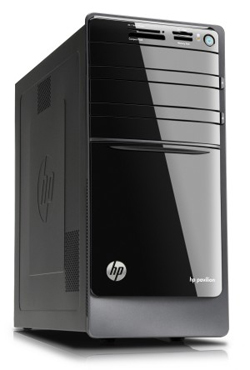
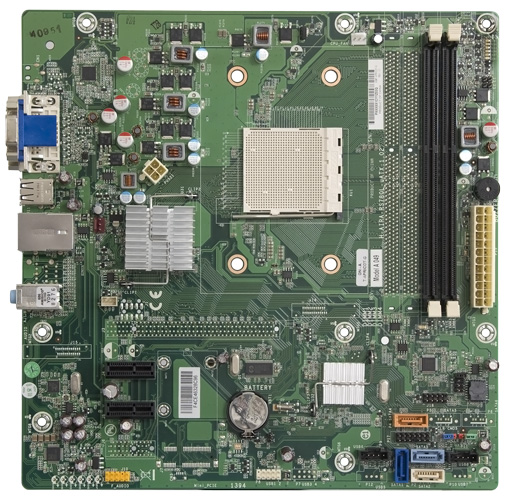
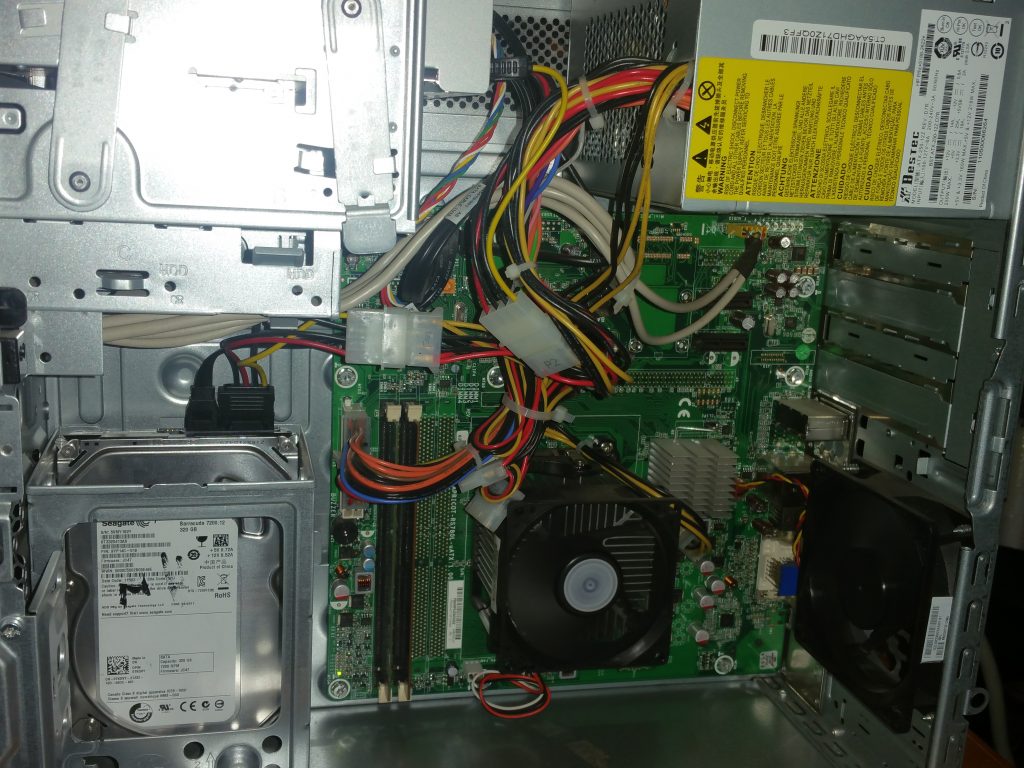
    The Hewlett Packard p7-1012 is a great example of why you don’t want to buy “big box” store computers off the shelf. On the one hand, it looks ok and while it has a fairly low-end CPU even for the time, there is at least a fairly substantial upgrade path. However, on the other hand, it only has a 250 watt power supply and while it can be upgraded from a dual-core cpu to a hexa-core CPU, the top of the range is off limits because of motherboard power restrictions. Worst of all, this computer has no PCI x16 slot. That limits you to something like the nVidia GT 710 if you are thinking about a video card upgrade. Given the pitiful power supply, you couldn’t do a whole lot better even if you did have an x16 slot.

    Nevertheless, even with its relatively low end dual-core Athlon II 220 CPU, with the RAM maxed out at 8 GB it still makes a useable Windows 10 or Linux box provided you don’t want to do anything too intensive (or anything resembling modern gaming…”modern” in this case being 2009 or later). Because of that, I’m not sure this really quite fits into the category of “vintage” or even “retro” but it’s getting close. Generally, I consider anything older than 10 years to be getting close to the “retro” category when it comes to computers. This one fits with that criteria but just barely. A better criteria might be anything with a single core CPU or anything with a 32-bit CPU, etc. I guess it is pretty subjective though.

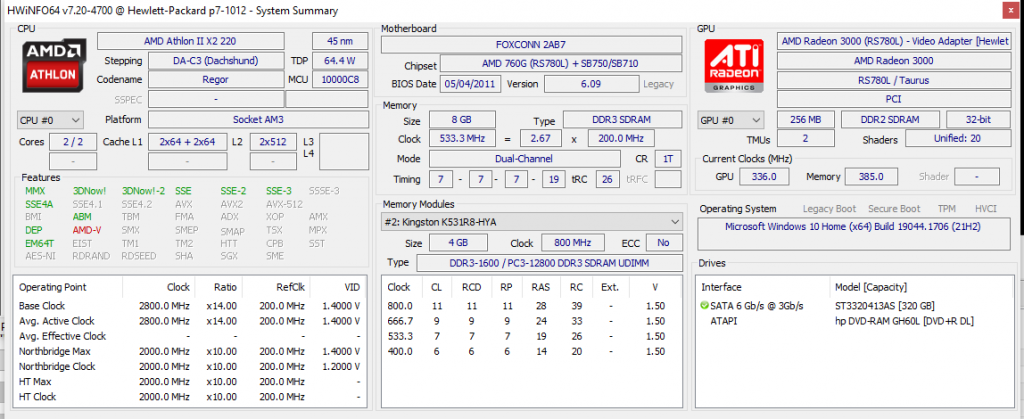
    Some more detailed stats:

    • Motherboard – FOXCONN 2AB7 / H-Apricot-RS780L-uATX (Apricot) (Socket AM3)
    • Chipset – AMD 780G
    • CPU – AMD Athlon II X2 220
    • Graphics – AMD Radeon 3000 (RS780L) / Taurus (integrated)
    • RAM – 8 GB DDR3-1066
    • Hard Drive – Seagate ST3320413AS 7200 RPM, 320 GB
    • Optical Drive – hp DVD-RAM GH60L

    For more detailed specs, check out the full output of HWiNFO.

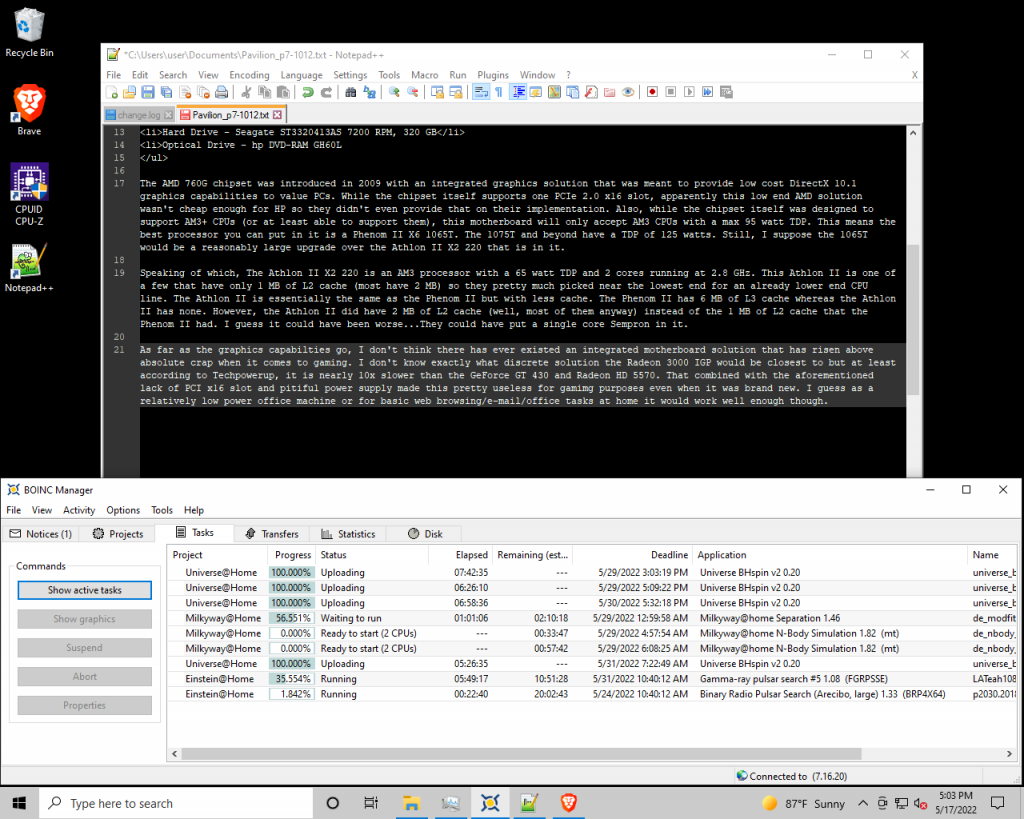
    The AMD 780G chipset was introduced in 2009 with an integrated graphics solution that was meant to provide low cost DirectX 10.1 graphics capabilities to value PCs. While the chipset itself supports one PCIe 2.0 x16 slot, apparently this low end AMD solution wasn’t cheap enough for HP so they didn’t even provide that on their implementation. Also, while the chipset itself was designed to support AM3+ CPUs (or at least able to support them), this motherboard will only accept AM3 CPUs with a max 95 watt TDP. This means the best processor you can put in it is a Phenom II X6 1065T. The 1075T and beyond have a TDP of 125 watts. Still, I suppose the 1065T would be a reasonably large upgrade over the Athlon II X2 220 that is in it.

    Speaking of which, The Athlon II X2 220 is an AM3 processor with a 65 watt TDP and 2 cores running at 2.8 GHz. This Athlon II is one of a few that have only 1 MB of L2 cache (most have 2 MB) so they pretty much picked near the lowest end for an already lower end CPU line. The Athlon II is essentially the same as the Phenom II but with less cache. The Phenom II has 6 MB of L3 cache whereas the Athlon II has none. However, the Athlon II did have 2 MB of L2 cache (well, most of them anyway) instead of the 1 MB of L2 cache that the Phenom II had. I guess it could have been worse…They could have put a single core Sempron in it. Generally speaking, I think the Athlon II would have been a direct competitor to the Core 2 Duo era Pentium which was essentially a Core 2 Duo with less cache. The Athlon II was somewhat slower per MHz but also cheaper.

    As far as the graphics capabilities go, I don’t think there has ever existed an integrated motherboard solution that has risen above absolute crap when it comes to gaming. I don’t know exactly what discrete solution the Radeon 3000 IGP would be closest to but at least according to Techpowerup, it is nearly 10x slower than the GeForce GT 430 and Radeon HD 5570. That combined with the aforementioned lack of PCI x16 slot and pitiful power supply made this pretty useless for gaming purposes even when it was brand new. I guess as a relatively low power office machine or for basic web browsing/e-mail/office tasks at home it would work well enough though.

    Like any computer I turn on, I installed BOINC on this one. Being a 64-bit CPU, this CPU is able to process work units from most projects, including the ones I participate in most including Einstein@home, MilkyWay@home, Rosetta@home, Universe@home and World Community Grid. Click on the links to see how it is doing in those projects. Sadly, most rosetta@home work units require VirtualBox and gobs of memory and “regular” work units are few and far between. World Community Grid has also been down longer than expected after a recent move. Check out BOINC Stats or Free-DC for overall BOINC statistics for this computer.


  • Digital Archaeology: HP Pavilion DV6000 (GA456UA-ABA)

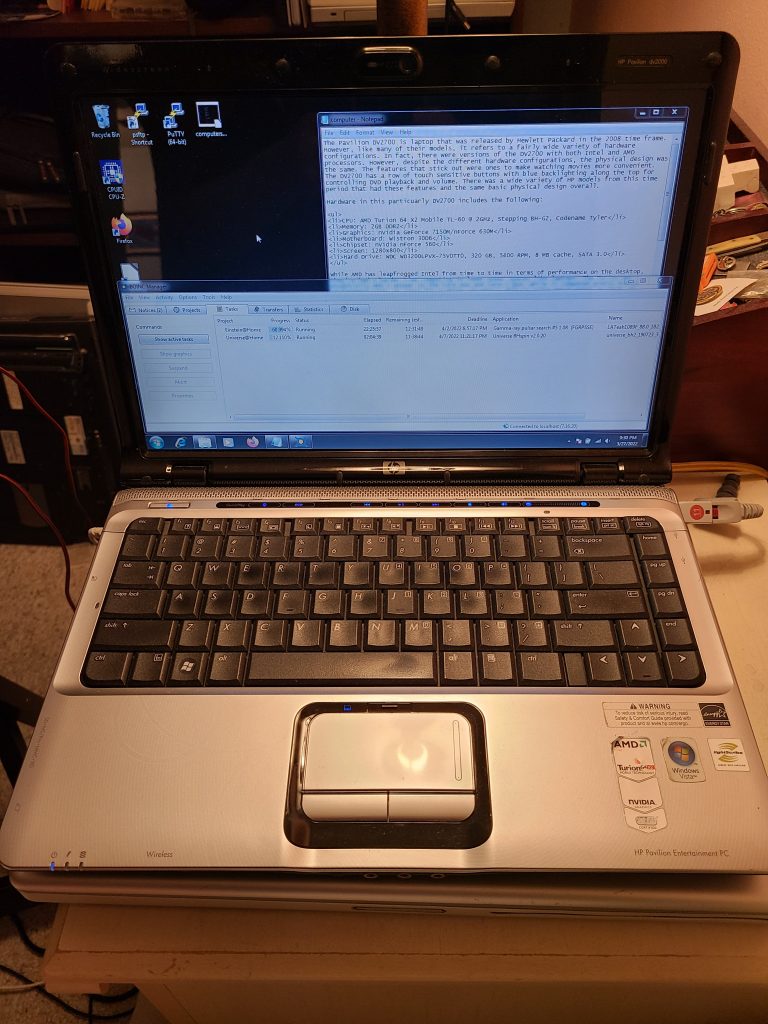
    The HP Pavilion dv6000 actually consisted of a number of different laptop models. In fact, other than to give you an idea of the laptop size, dv6000 isn’t very useful as a model number. This particular one is sub-modeled (is that a word?) GA456UA-ABA. The primary feature that differs between these different sub-models is the CPU and supporting chipset. In this case, the CPU is a Turion 64 x2 TL-56.

    The Turion 64 X2 line was AMD’s answer to the Core 2 Duo, however, their naming convention left something to be desired. AMD released mobile AMD 64 X2s and Turion 64 X2s during the same time period and they could be hard to differentiate. Generally speaking, Turion’s were lower power (though later mobile Athlon’s matched that) and generally Turion’s had more cache (though not in every single instance…it depended on the specific model). But generally speaking, you can think of a Turion 64 X2 as a mobile version of the Athlon 64 X2 (K8 generation). The TL-56 model runs at 1.8 GHz and has a total of 1 MB of L2 Cache. But to confuse matters further, there are two variants of the TL-56. One is the older “Trinidad” 90mm variant and the other is the newer “Tyler” 65nm variant but there isn’t much difference to speak of anyway.

    The dv6000 is labeled an “Entertainment PC” and includes a row of blue LED touch sensitive buttons above the keyboard for adjusting volume and controlling DVD play. It also has “Altec Lansing” branded speakers which were presumably a step above your typical unbranded laptop speakers. As far as graphics go, this dv6000 has the GeFore Go 6150. This nVidia chip was integrated with the motherboard chipset and was among the lowest end nVidia choices of the time. Having said that, it was good enough for some basic gaming and better than what was in a lot of other laptops of the time. It at least beat out the integrated solutions of ATI/AMD and Intel.

    However, the GeForce Go 6150 was one of a myriad of nVidia chips of that era that were faulty. A combination of the solder used along with the pad beneath led to heat expansion that cracked the solder joints. The solder could be reflowed but that was only a temporary fix. The fact that this laptop seems to work just fine may be a small miracle or maybe it was a later production model with the problem at least partially addressed.

    Some basic specs of this laptop include:

    • CPU: Turion 64 X2 TL56 @ 1.8 GHz
    • RAM: 2 GB of DDR2 @ 667 MHz
    • GPU: GeForce Go 6150 using up to 128 MB of system RAM
    • Screen Resolution: 1280×800
    • Hard Drive: ST320LT020-9YG14 (Seagate Momentus Thin 320 GB)
    • Optical Drive: TS-L632M 8x DVD±RW LightScribe Drive

    It also has the ports you would expect including a three USB ports, a memory card slot, an express card slot, as well as your typical wi-fi, and ethernet connections available. It looks like it also has VGA out, SVIDEO out, a modem (any dial-up ISPs still around?) and firewire.

    The “Lightscribe” drive is an interesting feature in that it lets you flip a disk over and laser etch a label. However, this required special disks and I don’t think these are widely available any longer. Alas, optical drives seem to be quickly going the way of the floppy anyway. I also like the handy button to turn off the trackpad. I like to rest my hands in the area below the keyboard while I am typing and if the trackpad is enabled, the pressure inevitably causes the cursor to move around and make me end up typing (or deleting) somewhere I didn’t want to.

    Currently I have Xubuntu 20.04 installed which it handles reasonably well. Another 2 GB of RAM would probably help a lot. With only 2 GB, your browsing capabilities are going to be limited. Firefox runs ok but I wouldn’t try more than one or two tabs. If I really wanted to upgrade it I would probably add that memory and an SSD and it would feel pretty zippy for a laptop that is approaching 15 years old.

    Overall, this seems like a pretty nice little laptop for AMD fans back in the day. A backlit keyboard would have been nice and if you were one of the unlucky many struck with the faulty GPU problem you no doubt would have hated it but otherwise it’s pretty decent as long as you weren’t looking for a gaming powerhouse.

    Check out the output of HardInfo for a more detailed inventory of the hardware.