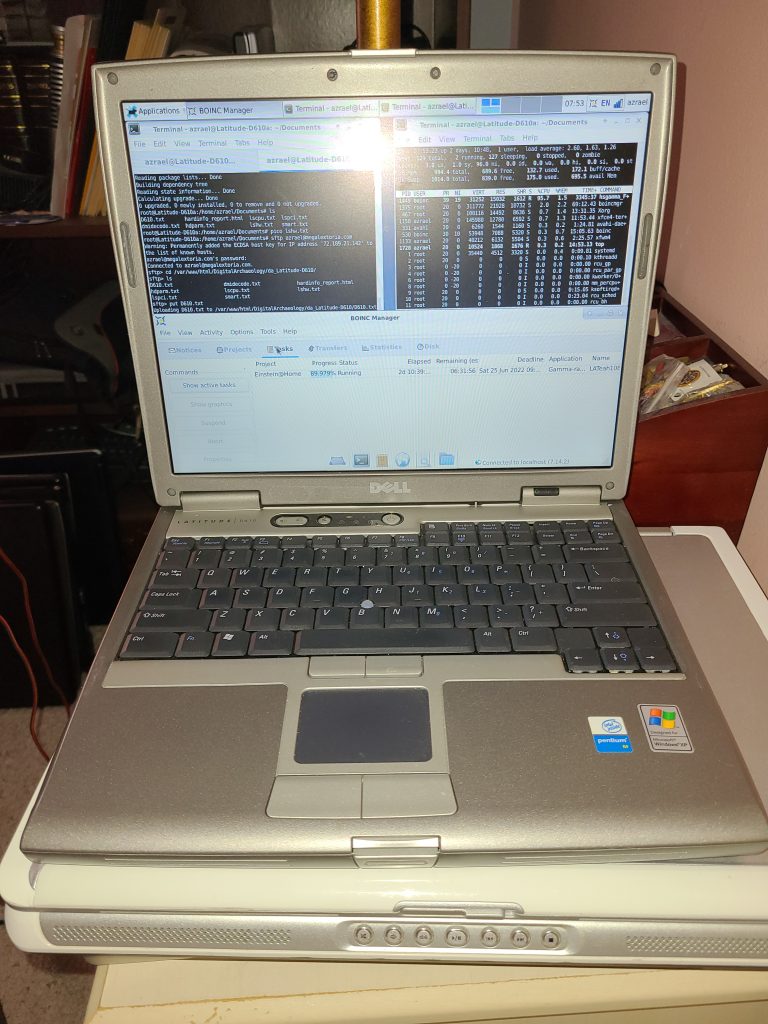
The Dell Latitude D610 is a Pentium M based laptop that was a slight upgrade to the D600. While looking nearly identical, there are enough internal physical differences to make swapping parts like the motherboard, LCD, Keyboard, etc. between the two impractical. You can see the specifics on the D600 here.
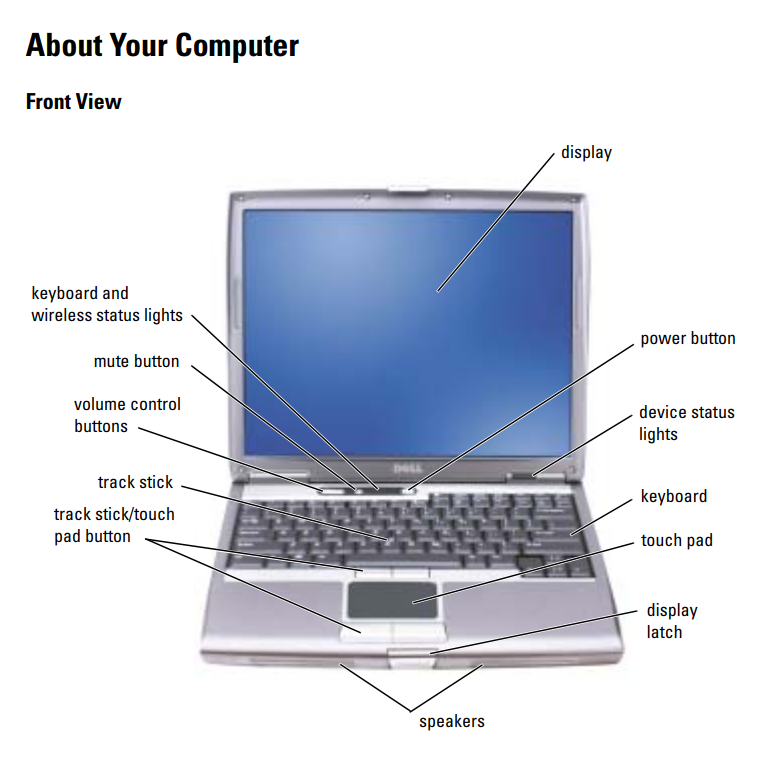
Some improvements over the D610 had over the D600 were a sturdier chassis thanks to a more solid frame, moving from the 855 chipset to a 915 based chipset, DDR2 RAM vs. DDR, and faster processor and graphics options.
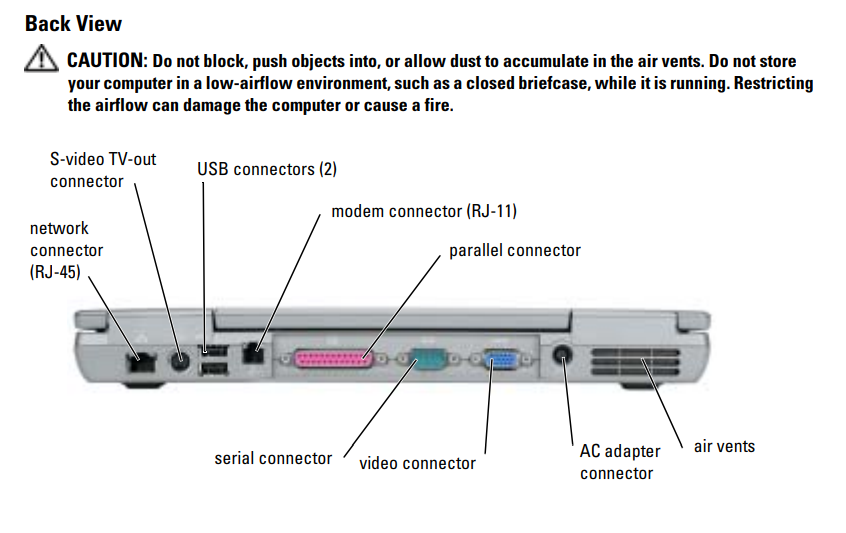
This particular D610 seems to be one of the lower end version in that it is using the integrated Intel graphics version of the motherboard as opposed to having a discrete card and only has a 1024×768 display as opposed to the 1400×1050 display that was also available. Specs include:
- CPU: Pentium M 740 @ 1.73 GHz
- Graphics/Chipset: Intel 915GM
- Memory: 1 GB DDR2 533MHz
- Display: 14.1″ @ 1024×768
- Hard Drive: Hitachi DK23FA-6 60 GB Ultra-ATA 10 4200 RPM
- Optical Drive: Phillips CDRW/DVD SCB5265
- Ethernet: NetXtreme BCM5751 Gigabit Ethernet PCI Express
- Wi-Fi: BCM4318 AirForce 54g 802.11a/b/g PCI Express Tranceiver
- Modem: 82801FB (ICH6 Family) AC’97 Modem Controller
For more detailed specs, see the output of Hardinfo here.
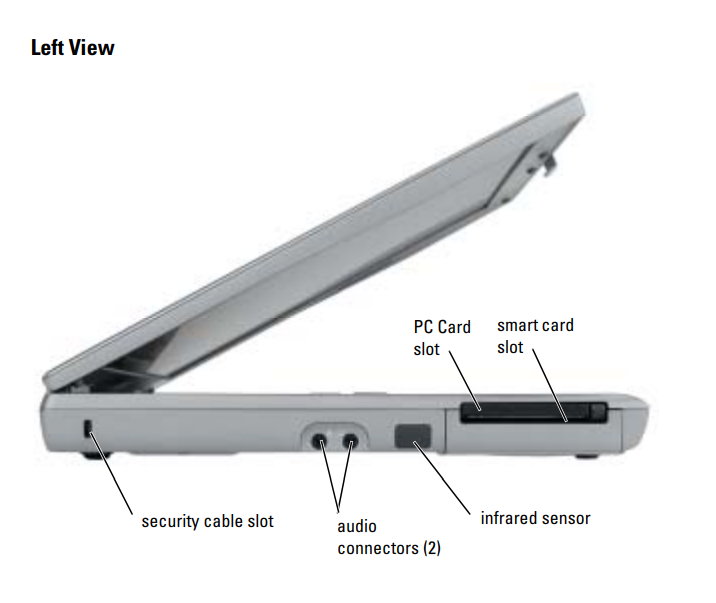
There were two basic variants of the Pentium M. The first, code named Banias, featured a 130nm process and 1MB of cache. The second, code named Dothan, feauted an 90nm process and 2MB of cache. Both variants came in various speeds and had processors that ran on a 400 MT/s bus and 533 MT/s bus. The Pentium M 740 in this laptop is a “Dothan” variant, runs at 1.73 GHz with a 533 MT/s bus. The extra cache and faster bus really makes a difference in how snappy they feel.
The Intel 915GM chipset includes PCI Express capability, support for DDR2, support for a 533 MHz FSB and updated Intel graphics. Unfortunately, this chipset supports a max of only 2 GB of RAM.
This laptop is somewhat upgradeable. The most immediately useful upgrade would probably be to max out the RAM at 2 GB. The processor could also be upgraded. The fastest Pentium M, the 780 @ 2.27 GHz will work but may run a bit warm. It’s probably safer to stick with the 21 watt processors (vs. 27 watt) in which case it could be upgrade as far as the Pentium M 760 @ 2 GHz (or Pentium M 765 @ 2.1 GHz but this one runs at a slower bus speed). An SSD or even just a faster mechanical hard drive would probably make a pretty big difference in speed as well. At the end of the day, the chipset limitation of 2 GB of RAM is probably the most significant limitation.
This laptop was designed with Windows XP in mind and that is probably still the best version of Windows for this machine. It could probably run Windows 7 32-bit but I’m not sure it would be worth the effort. If you want a more modern OS, then Debian seems to work fine and Debian is perhaps the only major Linux distribution still doing 32-bit releases. Debian is working reasonably well even with only 1 GB of RAM but probably not for much more than basic office tasks and very light web browsing.
Like all of the computers that pass through my hands (at least the ones that are capable), I run BOINC on this laptop. Of the projects I participate in, this machine has gotten work units for Einstein@home and MilkyWay@home. It has also gotten tasks from World Community Grid but that project has been down for a while now. Many projects don’t support 32-bit CPUs these days. You can also check out its BOINC stats on BOINCStats or Free-DC.