• Tag Archives VIC-20
  • Compute!’s Gazette (November 1985)

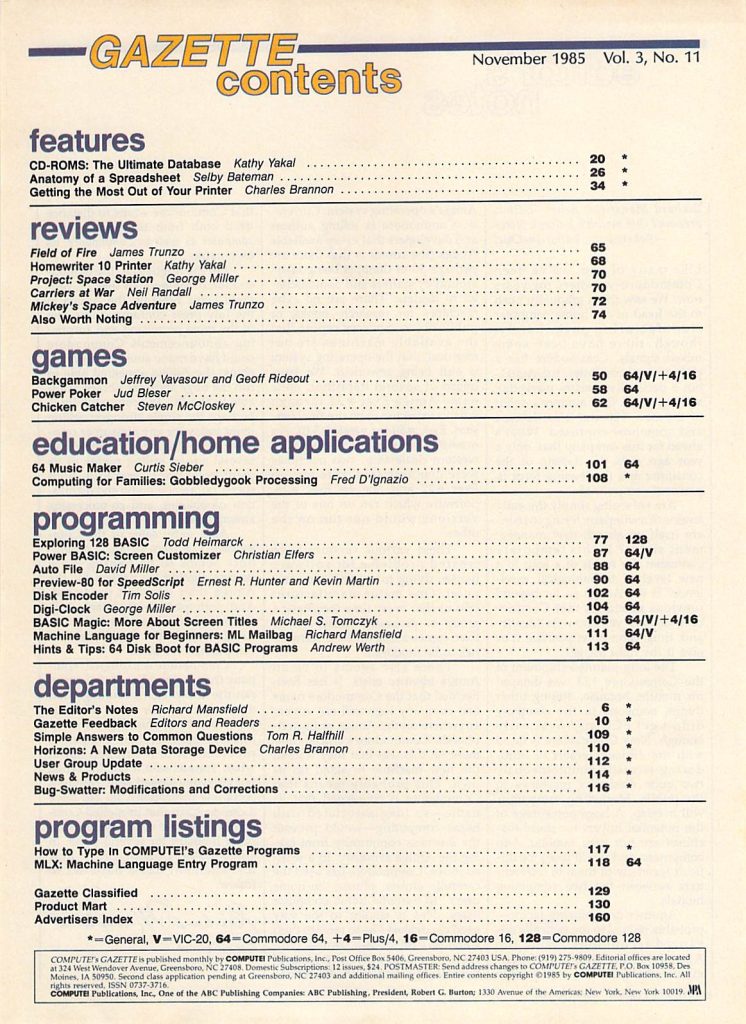
    Compute!’s Gazette was a Commodore 8-bit specific spin-off of their main publication which was just called Compute!. While I mostly bought Commodore Magazine and RUN because they happened to be available within bike riding distance, Gazette was definitely one of the more popular Commodore 64 magazines. The November 1985 issue includes:

    Features

    • CD-ROMS: The Ultimate Database – CD-ROM storage for personal computer use wouldn’t become mainstream for almost another decade but the technology existed long before. Here’s a look at early CD-ROM tech including the new CDU-1 from Sony.
    • Anatomy of a Spreadsheet – For a long time, the spreadsheet was THE killer app for personal computers. Here’s a look at some of the spreadsheet software available for Commodore 8-bit computers.
    • Getting the Most Out of Your Printer – An article that addresses common printer problems and their solutions (or how to avoid them in the first place).

    Reviews

    • Field of Fire – A World War II infantry strategy game from SSI.
    • Homewriter 10 Printer – An inexpensive easy to use dot-matrix printer from Epson for the Commodore 128, Commodore 64, and VIC-20.
    • Project: Space Station – A simulation of planning, building, and operating a space station from HesWare.
    • Carriers at War – A game from SSG that puts you in charge of various aircraft carriers during World War II.
    • Mickey’s Space Adventure – An educational game about the planets from Sierra On-Line featuring Mickey Mouse.
    • Also Worth Noting – A brief look at other new software including Adventure Construction Set, The Sea Voyagers, Homebase, Colonial Conquest, Show Director, and Rescue On Fractalus!

    Games

    • Backgammon – A type-in version of this classic game for the Commodore 64, VIC-20, Plus/4 and C-16.
    • Power Poker – A type-in poker game that features play on a 5×5 grid.
    • Chicken Catcher – A type-in arcade style game in which you must catch falling chickens in a net.

    Education/Home Applications

    • 64 Music Maker – A short type-in machine language program that turns the Commodore 64 into a musical keyboard.
    • Computing for Families: Gobbledygook Processing – A look at ways to turn your Commodore 64 into a sandbox for kids to explore.

    Programming

    • Exploring 128 BASIC – BASIC 7.0 was much more powerful than previous BASIC versions for Commodore computers. This article looks at some of the new commands and provides examples for the Commodore 128.
    • Power BASIC: Screen Customizer – A type-in utility that will allow you to set your screen colors and keep them from changing even when using other machine language programs. For the Commodore 64 and VIC-20.
    • Auto File – A type-in utility that automatically loads and runs both BASIC and machine language programs on the Commodore 64.
    • Preview-80 for Speedscript – The display on a Commodore 64 was only 40 columns but this type-in utility would allow you to preview SpeedScript files in 80 columns.
    • Disk Encoder – A type-in program for encrypting your disk files.
    • Digi-Clock – A type-in real-time clock for the Commodore 64 that stays resident in memory and operates even when running other programs.
    • BASIC Magic: More About Screen Titles – The second part in a series on creating screen titles with the Commodore 64 and VIC-20. This part discusses the LEN command.
    • Machine Language for Beginners: ML Mailbag – Questions answered about SYS commands, flags, and more.
    • Hints & Tips: 64 Disk Boot for BASIC Programs – A guide to making your programs automatically run after loading.

    Departments

    • The Editor’s Notes – Commodore’s great computers and poor marketing.
    • Gazette Feedback – Letters from readers about typing on a powered off computer, resaving a program, DATA statements, TurboTape, doublespacing on the 1526 printer, random numbers, making text flash, telecommunications costs, saving data in sequential files, customizing the cursor, and more.
    • Simple Answers to Common Questions – Questions answered about EEPROMs and parsers.
    • Horizons: A New Data Storage Device – A look at the Quick Data Drive (QDD). This was a so-called “stringy floppy” that used magnetic tape in a continuous loop.
    • News & Products – A brief look at new software and hardware including General Ledger and Payroll from Info Designs, new printers from Blue Chip Electronics, Hardball from Accolade, new MIDI hardware and software from Passport Designs, a new printer interface from Omnitronix, Grade Manager III for the Commodore 64/128 from Smoky Mountain Software, Karate Champ from Data East, International Hockey from Artworx, more Print Shop graphics, Silent Service from Broderbund, and much more.

    …and more!


  • RUN: The Home User’s Guide to Commodore Computing (January 1985)

    Source: RUN: The Home User’s Guide to Commodore Computing – Issue Number 13 – January 1985

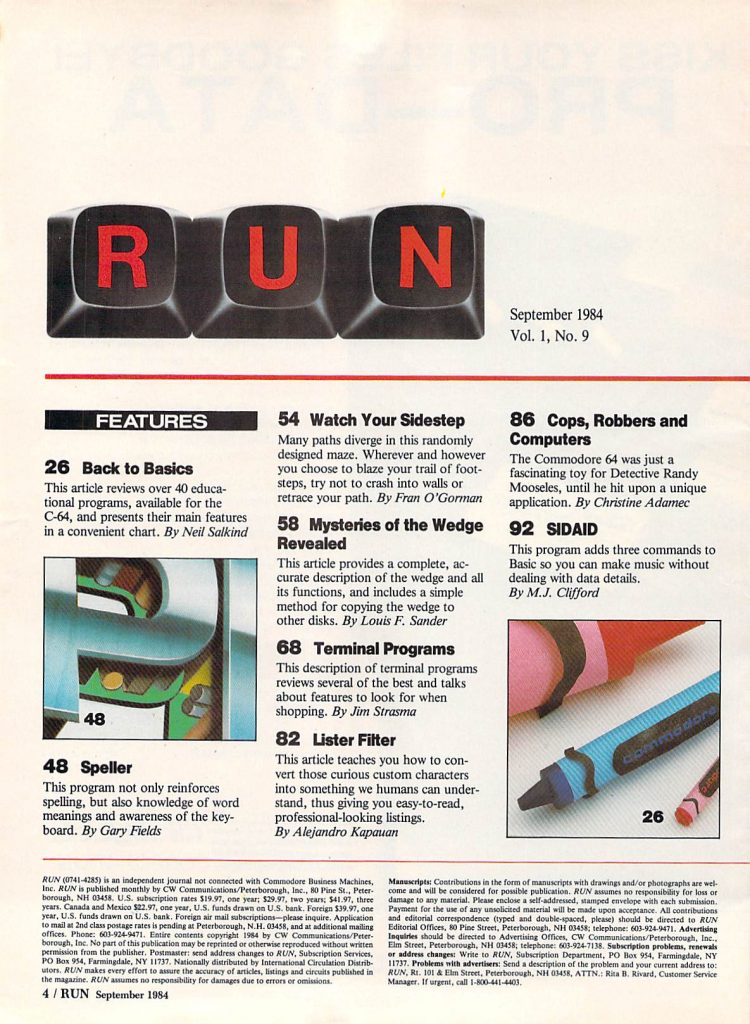
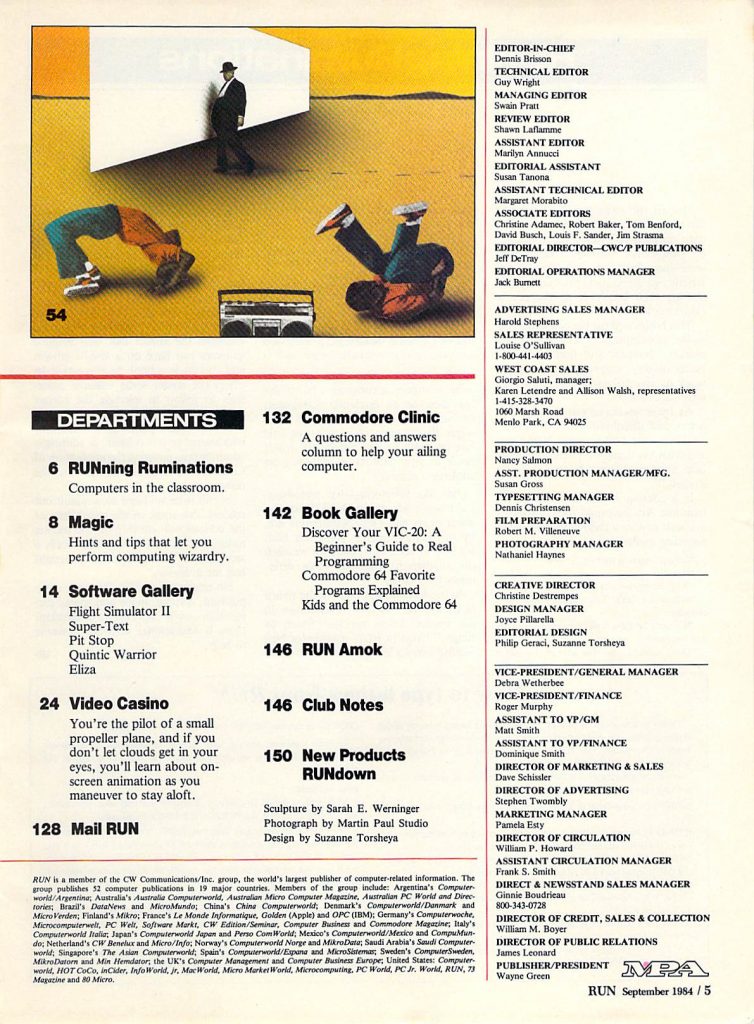
    RUN was one of the most popular Commodore 8-bit computer magazines, mostly covering the Commodore 64. It was also one of the magazines I bought the most growing up. The January 1985 issue includes:

    Features

    • Trapped in the Maze – Creating a maze game in BASIC on the VIC-20.
    • Writing Word Games – A guide to creating word games (like Hangman).
    • Smoking Joe – Some tips and a program for creating sprites.
    • Quatro – A type-in tic-tac-toe game for the Commodore 64 with the twist that you have to get four in a row instead of three.
    • Don’t Forget! – A type-in program for the Commodore 64 that gives you a calendar and the ability to create appointments.
    • Selecting The Right Printer – A guide to choosing the best printer for you. Some models mentioned here include the 1520 Plotter, 1525e, MPS-801, Prowriter, Okidata 82 and 92 series, Epson MX, RX, and FX series, Gemini 10X/15X, and more.
    • Three Printers From Commodore – Reviews of the Commodore DPS-1101 Daisy Whee printer, and the Commodore 1526 and MPS-803 Dot Matrix printers.
    • Disk Tips For Beginner – A guide to managing your floppy disks.
    • Let There Be Light Pens – At one point in time, before the mouse took over for good, light pens seemed to be the up and coming input device. This article is an introductory guide to light pens.

    Departments

    • RUNning Ruminations – A look ahead to what is in this issue and a request for articles on the new Plus/4 and Commodore 16.
    • Magic – Short programs for recovering an erased program, extracting lines from an existing program, tracing the execution of BASIC programs, reading raw data from tape, using a voice synthesizer for debugging, and more.
    • Software Gallery – Reviews of Questprobe: The Hulk, Kidwriter, Saucer Attack!, Space Taxi (one of my all time favorites though it only gets a ‘B’ rating here), abd Word Processor – Professional.
    • Clubs – A list of Commodore computer related clubs and user groups.
    • Commodore Clinic – Questions answered about documentation for the Commodore B128, compiling BASIC programs, word processing programs on cassette, CP/M on the Commodore 64, 1541 disk drivr problems, blowing fuses on the VIC-20, keypads for the Commodore 64, and much more.
    • Mail RUN – Letters from readers about CP/M problems on the Commodore 64, Commodore in South Africa, Panasonic printers, and more.
    • RUN’s 1984 Index – An index of articles and reviews from RUN covering all of 1984.
    • New Products RUNdown – A look at new producs including Suspect from Infocom, Breakdance from Epyx, President Elect from SSI, F-15 Strike Eagle from MicroProse, The Operating System from Hacker’s Hardware, The Professor from Progressive Peripherals, and more.


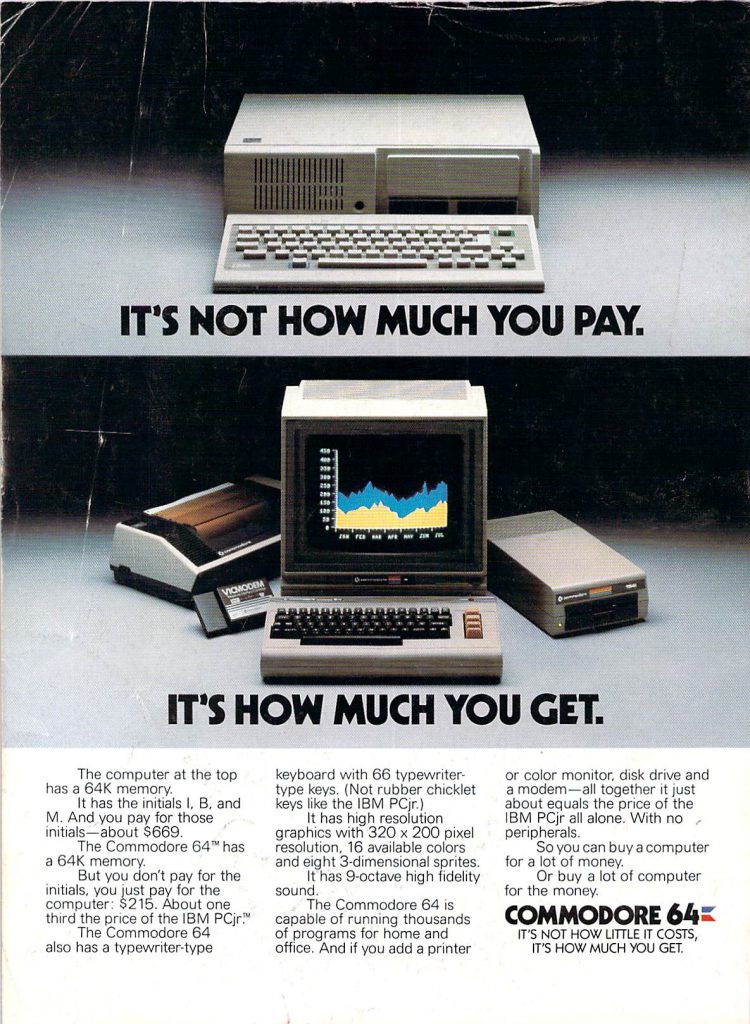
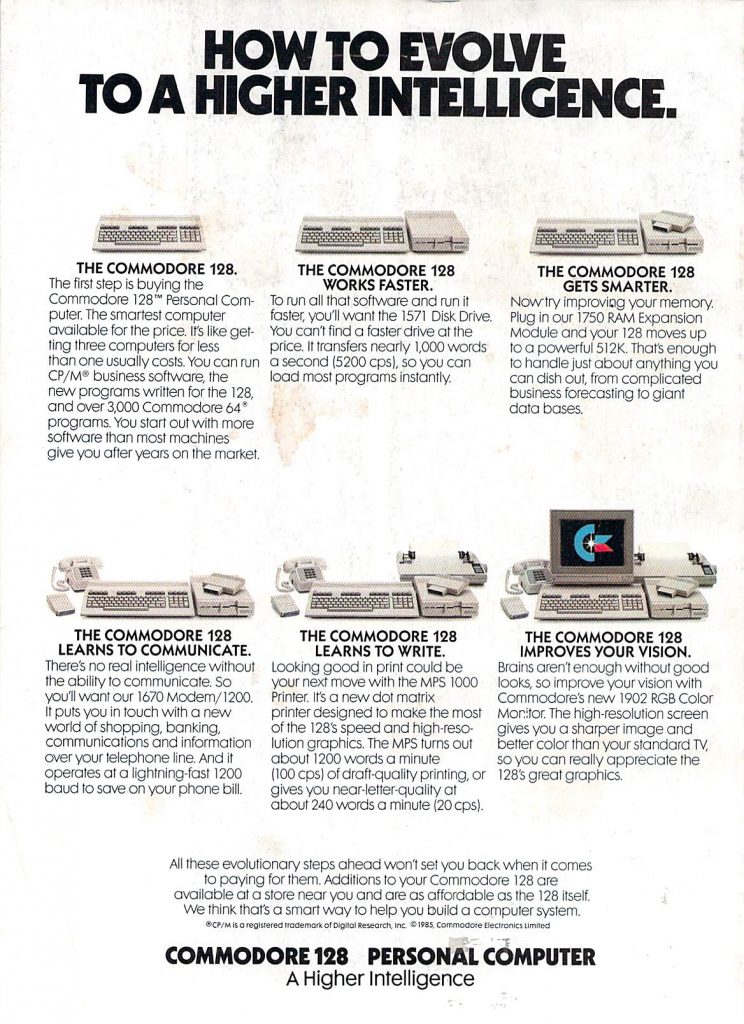
    Back cover of the January 1985 issue of RUN
    …and more!


  •  Home Computer Magazine Volume 4, Number 1 (1985)

    Source: Home Computer Magazine Volume 4, Number 1 (1985)

    Home Computer Magazine started life as TI99er which exclusively covered the the Texas Instruments TI-99 line of computers. With this issue (Volume 4, Number 1) it was re-branded and started covering the Commodore 64 and VIC-20, Apple II, and IBM PC (DOS) in addition to the TI-99. This issue was published some time in 1984 and includes:

    Features

    • Uncle Larry’s Fiddle Tunes – Type-in folk songs for the Commodore 64, TI-99/4A and PCjr.
    • Pocket Canon – More type-in music, this time for the TI-99/4A.
    • TI-Writer Tutorial – The third part of a tutorial TI-Writer, a word processor for the TI-99/4A.
    • I Write the Songs: Electronic Sheet Music – A type-in BASIC program for the TI-99/4A called Music Magic that lets you play, display, and save music.
    • Just Assemble Melody: Music in Mini Memory – A type-in program that makes writing music on the TI-99/4A easier.
    • PCjr: A Detailed Look Inside the Peanut’s Shell – An overview of IBM’s new PCjr. It was doomed to failure for a variety of reasons, including a terrible keyboard, incompatibility with PC parts, limited expansion ability, software compatibility issues, a relatively high price, and probably other reasons.
    • 66 Keys to Graphics Success: A Primer for the Commodore 64 and VIC-20 – A beginner’s guide to the Commodore 64 and VIC-20.
    • Have No Fear: Assembly Language Won’t Byte, Part 3 – The third part in a beginner’s assembly language tutorial for the TI-99/4A.
    • Porsches and Other Pipedreams: Computer Assisted Savings – A type-in program for the Apple II, PCjr, Commodore 64 and VIC-20 that does things like calculating compound interest, payment plans, future value, and more.
    • 3D-IIe: Apple Graphics in Three Dimensions – A type-in program for creating 3D line drawing on the Apple II.
    • The Future Is Now in Apple Graphics – A look at new graphics products for the Apple II including the Supersprite board and StarSprite software, plus an interview with Don Fudge.
    • Biting Into Your Apple – A guide to customizing and expanding your Apple II.
    • Movable Feasts – A type-in meal planner for the VIC-20.
    • Don’t Be a SlowPOKE – A type-in machine language routine to help you animated your sprites on the Commodore 64.
    • Down Memory Lane – A guide to rearranging the memory map of your Commodore 64 to squeeze out more memory.
    • Easy as Apple Pie – A guide to creating simple graphics on the Apple II.
    • Microcomputer Accuracy – A guide to testing the mathematical accuracy of your computer. Typically, home computers were not as precise as scientific calculators, at least not with built in math functions.

    LOGO Times

    • What Is LOGO – It’s a programming language.
    • Lyrical LOGO – Recursion using LOGO.
    • LOGO Shoots for the Moon – Structured programming using LOGO.

    Product Reviews

    • Henpecked – A cartridge based Joust clone for the TI-99/4A featuring chickens.
    • Hopper – A cartridge based Pengo clone for the TI-99/4A in which you control a kangaroo on a cargo ship trying to avoid capture.
    • Zeus – A game inspired by Space Invaders for the Commodore 64 in which you must avoid lightning bolts from Zeus.
    • Beach Head – This classic for the Commodore 64 plays kind of like a series of mini-games with a World War II theme. It is definitely among the best early games for the commodore 64.
    • Gruds in Space – A sci-fi themed graphic adventure for the Apple II.
    • Jumpman Junior – A cartridge version of this screen based platform game. The graphics were definitely simple but this game was a lot of fun (and also hard).
    • Stellar Seven – A wireframe space combat sim for the Apple II.
    • Coveted Mirror – A graphics adventure game for the Apple II with the somewhat unique feature for the time that the screens were animated.
    • Fly Snuffer – An action game on cartridge for the TI-99/4A in which you have to spray flies to kill them.
    • Homeword Bound – A review of HomeWord, a word processor from Sierra Online for the Apple II.
    • Bank Street Writer – A popular 1980s word processor for the Apple II (and later other machines).
    • Bigger Better Basic – Reviews of The Super Expander 64 and Simon’s Basic 64, both of which are extensions to Commodore 64’s BASIC that add things like graphics commands among others.
    • Getting it Out of Your System – A look at the Buffered Grappler and PSIO interface cards for the Apple II.
    • Facemaker – A educational/art game in which you create and must remember faces for the Commodore 64, Apple II, and TI-99/4A.
    • Art at Your Fingertips – A color graphics system for the Apple II consisting of a Koala Pad drawing pad, Microillustrator art program, Transtar 315 printer, and a PICS Interface card which can transfer color screen dumps to the printer.

    Gameware Buffet

    • Flak Attack – A type in game for the Apple II, Commodore 64, VIC-20, PCjr and TI-99/4A in which you must shoot down enemy aircraft.
    • Slots – A type-in slot game simulator for the TI-99/4A.
    • Meltdown – A type-in game in which you must prevent a nuclear power plant from melting down for the TI-99/4A.
    • Challenging the Tower of Hanoi – A type-in implementation of the Tower of Hanoi for the Apple II, Commodore 64, VIC-20, PCjr, and TI-99/4A.

    Departments

    • On Screen – TI exits the personal computer market and all about the changes in the magazine.
    • Group Grapevine – News and upcoming events related to computer users groups.
    • Letters to the Editor – Letters from readers including converting programs for the TI Editor/Assembler, the IBM PC vs. the IBM PCjr, and more comments on articles from previous issues.
    • HCM Product News – TI announces two new games for the TI-99/4A (Symoids and Pirate’s Isle); the Super Stik from Personal Peripherals; Persuasion, a strategy game from Orion Games for the PC; new printing service for TI users; Flight Simulator II from subLogic for the Commodore 64 and Atari; a new TI BASIC compiler; and much more.
    • Tech Notes: TI – A guide to setting up data files on cassette for the TI-99/4A.
    • Tech Notes: IBM – Demonstrating mathematical accuracy on the IBM PC.
    • Tech Notes: Commodore – Restoring DATA pointers on the Commodore 64 and VIC-20.
    • Tech Notes: Apple – Modifying, inserting, and deleting from existing programs on the Apple II.

    …and more!