• Tag Archives Inspiron
  • Digital Archaeology: Dell Inspiron E1705

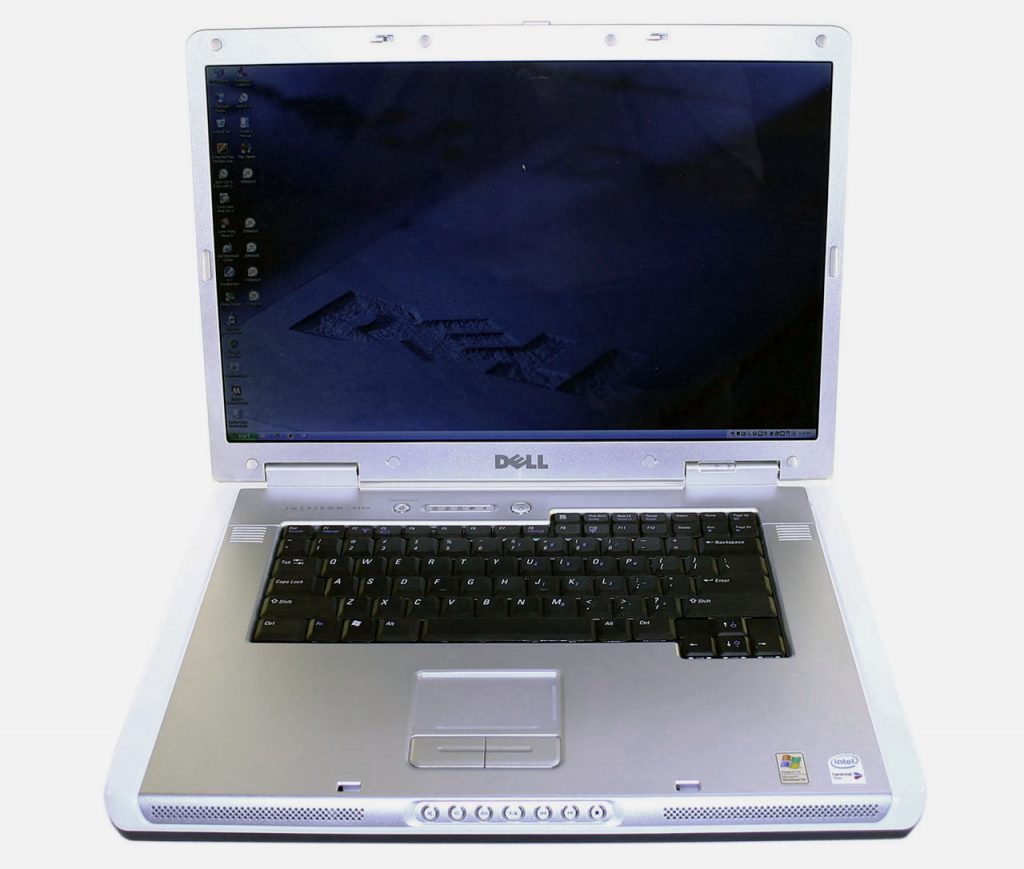
    The Inspiron line has long been Dell’s main consumer laptop models (well, until very recently when they for some reason started naming all their machines very generically). The Inspiron E1705 was released in the 2005 timeframe. It is for all practical purposes identical to the Inspiron 9400. They just had different default configuration options and were targeted at different markets. It is also substantially the same as the M90 and XPS models of the same time period, again, with different default configuration options. I made a post about the 9400 a while back and a lot of this will sound the same because they are basically the same machine with some configuration differences.
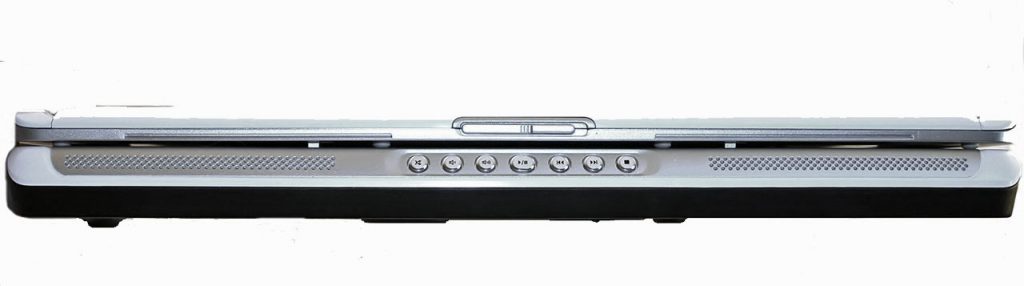
    The Inspiron E1705 supported a very large range of hardware options. There were two different motherboards used. One supported add-in video cards such as the FX2500M, GeForce Go 7800 and 7900GTX among others while the second motherboard option only supported Intel’s integrated graphics. Display options included a 17″ Wide Screen WXGA+ (1440×900) panel or a 17″ Ultrasharp Wide Screen WUXGA (1920×1200) panel. The processor could be anything from a single core 32-bit Core Solo T1300 running at 1.66 GHz all the way up to 64-bit Core 2 Duo T7600 running at 2.33 GHz.
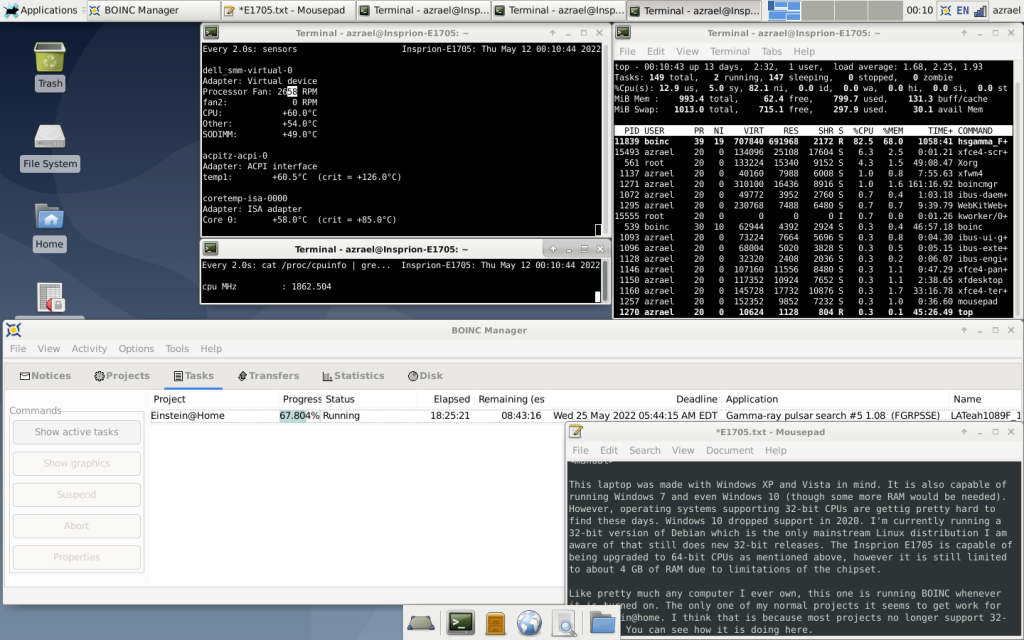
    My particular E1705 is definitely one of the lower end models. Specs include:

    • CPU: Core Solo T1350 @ 1.86 GHz
    • Graphics/Chipset: Intel 945GM
    • Memory: 1GB DDR2-533 (2x512MB)
    • Display: 17″ WXGA+ (1440×900)
    • Hard Drive: 80GB 5400RPM
    • Optical Drive: 8x DVD +/-RW with Dual-Layer DVD-R Write Support
    • Networking: Integrated 10/100 Ethernet and V.92 56K Modem, 802.11b/g WLAN
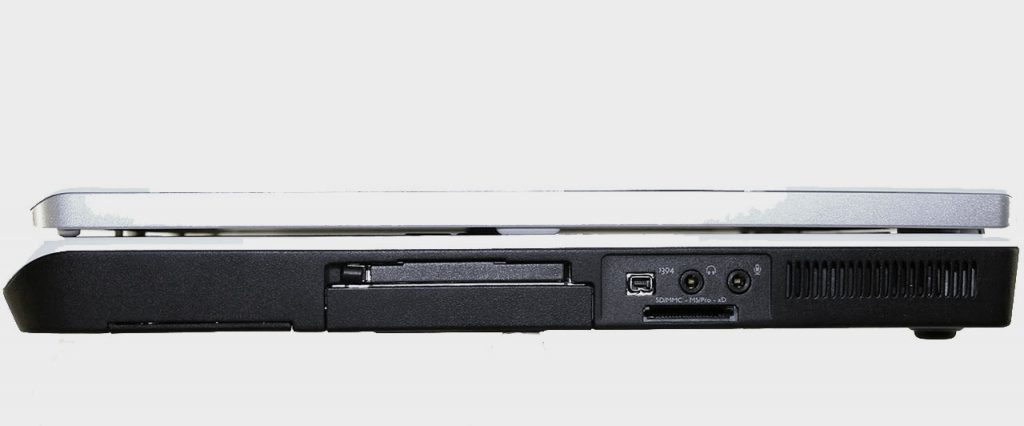
    Plus tons of expansion slots and ports including 4 USB 2.0 ports, an ExpressCard 54mm slot, FireWire, 5-in-1 Flash Reader, headphone and microphone connections, 1 DVI-D, 1 VGA, and 1 S-Video Out. I miss all the built-in I/O options laptops used to have. These days you generally have to find a USB-C dongle with whatever you need.
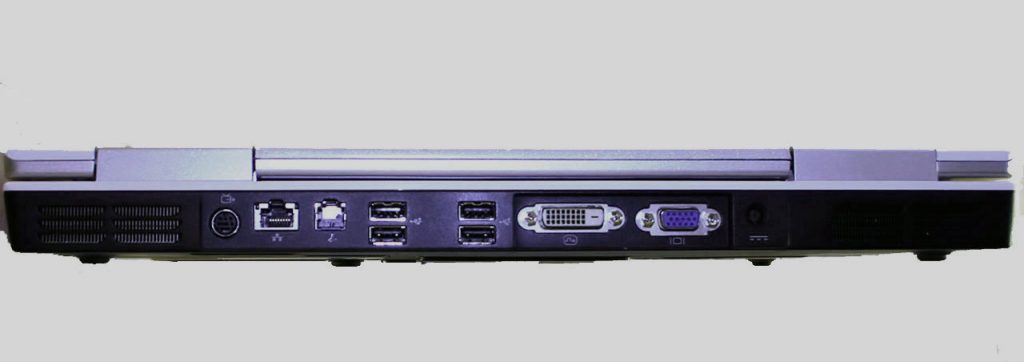
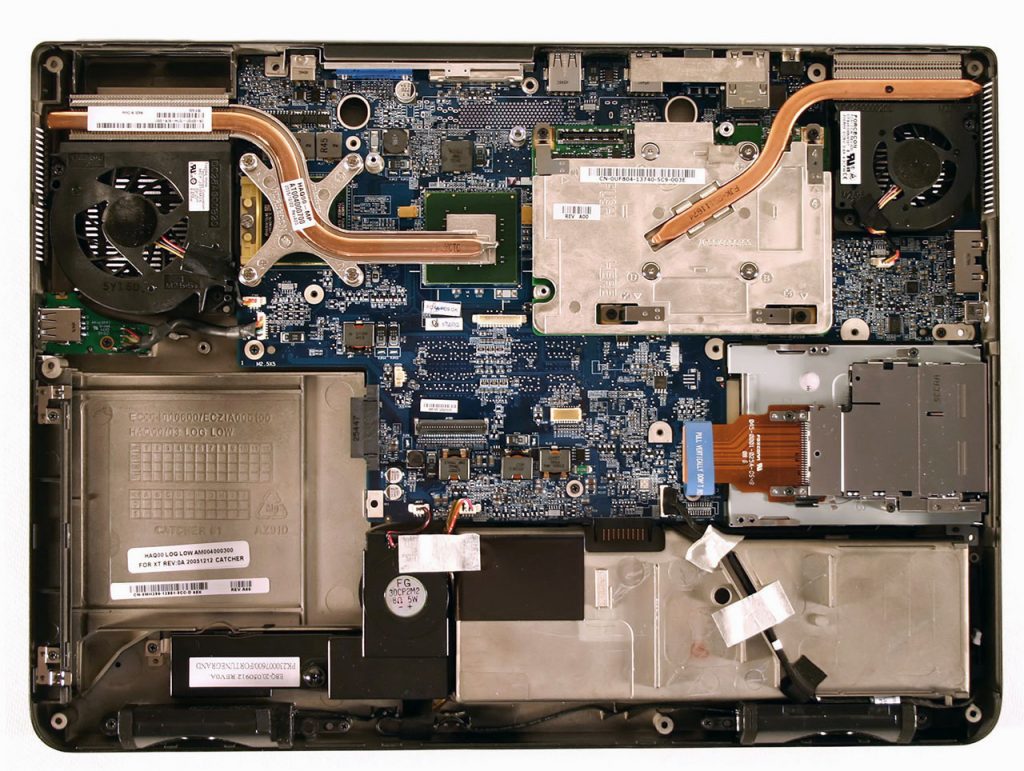
    As far as upgrade possibilities, a Core 2 Duo T7600 could be added and up to 4GB of 667MHz DDR2 RAM is supported. Unfortunately, there are no graphics update options as this motherboard in the one with the built-in Intel chipset/graphics. However, the Intel version is the more reliable one. nVidia chips of that era had issues with the solder used and almost always inevitable fail at some point. There is also an ATI (X1400) version but that one seems to be more rare though that’s what I have in my 9400.
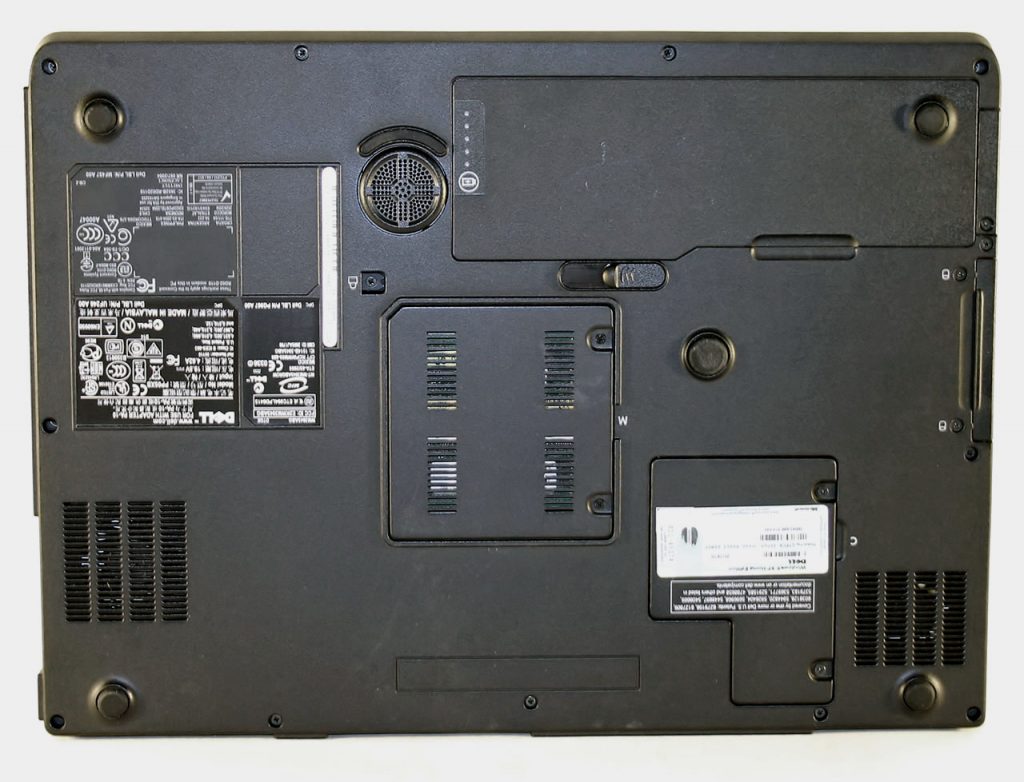
    This laptop was made with Windows XP and Vista in mind. It is also capable of running Windows 7 and even Windows 10 (though some more RAM would definitely be needed). However, modern operating systems supporting 32-bit CPUs are gettig pretty hard to find these days. Windows 10 dropped support in 2020. I’m currently running a 32-bit version of Debian which is the only mainstream Linux distribution I am aware of that still does new 32-bit releases. The Insprion E1705 is capable of being upgraded to 64-bit CPUs as mentioned above, however it is still limited to about 4 GB of RAM due to limitations of the chipset.
    Like pretty much any computer I ever own, this one is running BOINC whenever it is turned on. It still gets work for at least Einstein@home and maybe a couple of others.
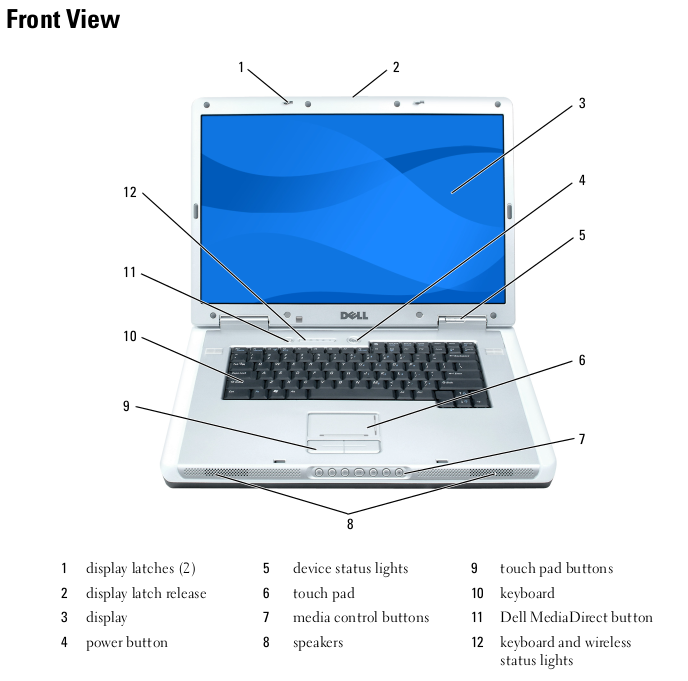
    Overall, this seems to be a pretty solid laptop with a great deal of expansion possibility for its time. The build quality is decent and the keyboard feels pretty good. However, it isn’t as nice in that regard as later Latitudes and Precisions. Despite pushing the CPU at 100% all the time with BOINC, it runs cool and quiet. The large size no doubt helps some with that, plus it has a pretty anemic single core CPU at the moment. If I had been in the market for a laptop at the time this one was being sold, it probably would have been a top contender (though with a Core 2 Duo CPU and the higher resolution screen).
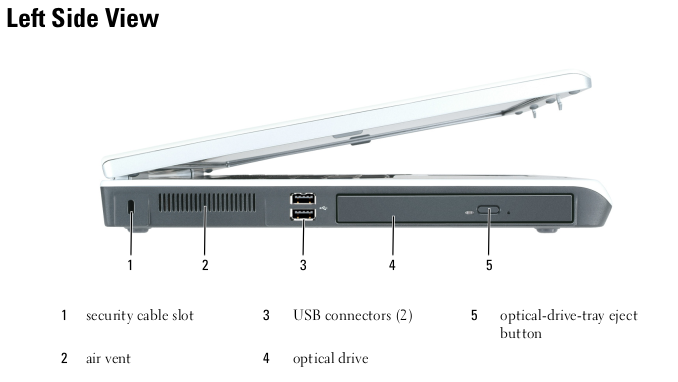
    Despite having some fairly significant upgrade potential, I doubt I will be upgrading this one. I would rather start with the model with the higher resolution screen and perhaps the ATI graphics option if I were going to bother. Having said that, there’s a good chance I have a Core 2 Duo that would work and some extra memory so who knows…but I’ll probably save that for the 9400 I have.
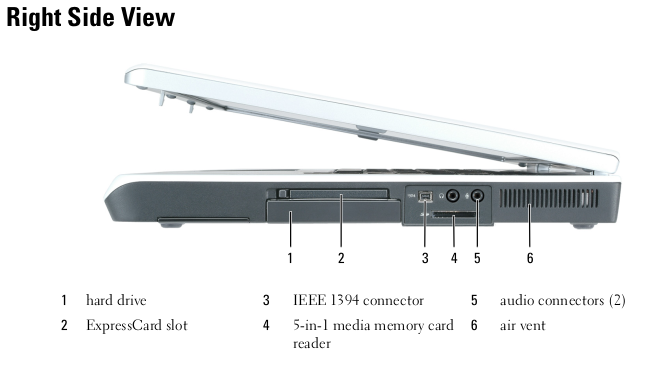
    Check out the complete specs of this laptop via HardInfo here.
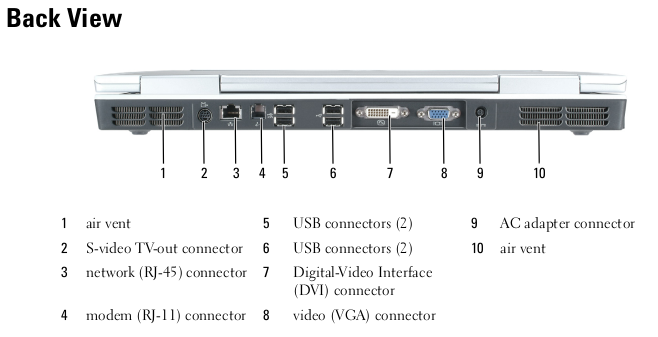
    And if you are curious how it is getting along in BOINC, see it’s einstein@home stats or check out its overall stats via FreeDC.
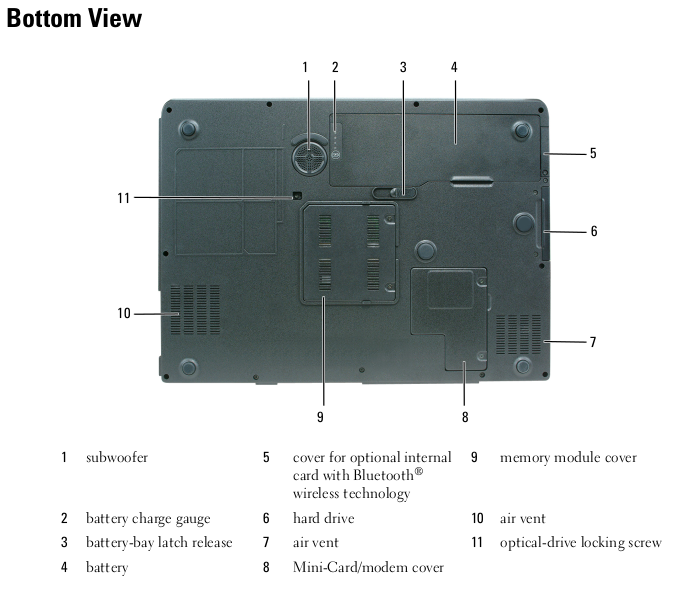

  • Digital Archaeology: Dell Inspiron E1405

    I’m not sure why what were identical models were released under two different model numbers but that seems to be the case with the Dell Inspiron 640m / Dell Inspiron E1405. According to ChatGPT, this was related to a transition in Dell naming conventions (sound familiar?). The 640m designation is the older naming scheme whereas the E1405 naming scheme is newer. The ‘E’ supposedly stands for ‘Entertainment’ but without a dedicated graphics chip, I guess that was meant to refer to using it for DVD playback or something. It does have a row of media control buttons on the front that were common at the time. I have the model labeled as E1405 and it’s config includes:

    • CPU: Pentium T2050 @ 1.6 GHz
    • Memory: 1 GB
    • Video: Integrated Intel G45GM
    • Screen: 14.1″ 1280×800

    For more hardware info, check out the report from HardInfo.

    The “Pentium” in this case was a Core Duo CPU with half the cache (1 MB instead of 2 MB). This made for a slightly slower CPU. A nearly identical Core Duo model at the same clock speed was about 8% faster on average.

    Like a lot of laptop models, especially at the time, this one had a wide range of configurations. Wikipedia reports the following possible components:

    Processor: Intel Centrino — Core Duo T2050 or T2500, or Core 2 Duo T5500, T5600, T7200, T7400, T7600
    Memory: 1, 2, 3, or 4 GB of shared dual channel DDR2 SDRAM @ 667 MHz.
    Chipset: Intel 945GM Express
    Graphics Processor: integrated Intel GMA 950.
    LCD Display: 14.1″ (16:10) – with 1280 × 800 resolution, or with 1280 × 800 resolution and TrueLife, or with 1440 × 900 resolution and TrueLife.
    Storage: 80 or 100 GB SATA HDD at 5400 RPM.
    Optical Drive: tray-load, 8x dual-layer DVD+/-RW or 24x DVD / CD-RW.
    Battery: 6-cell (56 Whr), or 9-cell (85 Whr) Lithium Ion.
    Wi-Fi Card: mini-card, Dell Wireless 1390 802.11g or 5100 802.11n.
    Bluetooth: Optional Dell Wireless Bluetooth Internal 350.
    I/O ports: 4 USB ports, 1 FireWire port, 1 Fast Ethernet port, 1 56K modem, 1 5-in-1 memory card reader, 1 Express Card slot, 1 VGA output, 1 S-Video output, 1 headphone jack, 1 microphone jack/line-in, and 1 power adapter port.

    Even this seems incomplete as I have seen references to this model with Core Solo processors. The fact that you could upgrade to a Core 2 Duo is pretty significant as this essentially takes you from a 32-bit system to a 64-bit system. If I wanted to, I should be able to put up to a Core 2 Duo T7600 in this machine which not only gives it a significant cache and clock speed boost, but also moves it from being a 32-bit system to a 64-bit system. The only downside is the fact that the memory is still limited to 4 GB.

    The 1 GB in this machine consists of 2 512MB sticks and is probably the original amount. Replacing both of those with 2 GB sticks is probably the single easiest upgrade.

    Upgrading the CPU isn’t two difficult either and Switching to a 64-bit CPU would enable it to run a modern OS like Windows 10 if you really, really wanted to or Linux. While the top end T7600 might cost a bit more, picking up any of the others should be dirt cheap. With the Core Duo that is currently in this machine, you are limited to 32-bit versions of Windows and Linux.

    The only other reasonable upgrade is adding an SSD. SSDs are much faster than mechanical hard drives even on older and slower interfaces. Often, this provides the most effective upgrade in terms of speed.

    My particular machine has a couple of flaws. There are two horizontal lines of dead pixels, one in the middle of the screen and one almost at the bottom. I’m not 100% sure if these are actually dead pixels or if there is an issue with the video cable. The other less significant flaw is that the hinges seem a bit loose. However, these things make it so that the machine isn’t worth selling or upgrading. Though I’m typing on it now as I write this, it will probably be relegated to a parts machine.

    Currently, mine still has its original 80 GB hard drive. Originally, it would have had a 32-bit version of Windows Vista installed. For a while it has a 32-bit version of Debian Linux installed. Even with the low amount of RAM is ran reasonably well except for web browsing which was very sluggish. Over the years, web browsers have become even more bloated than Windows. The best use for this machine is probably for some retro Windows Vista usage anyway. Unfortunately, due to the lack of a dedicated graphics chip, it isn’t really suitable for many games that were being released at the time. I’ve since installed Windows XP which is much snappier.

    Like all the machines I use, this one has BOINC installed. Currently it is doing work for Einstein@home. You can check out how it is doing there or via FreeDC.


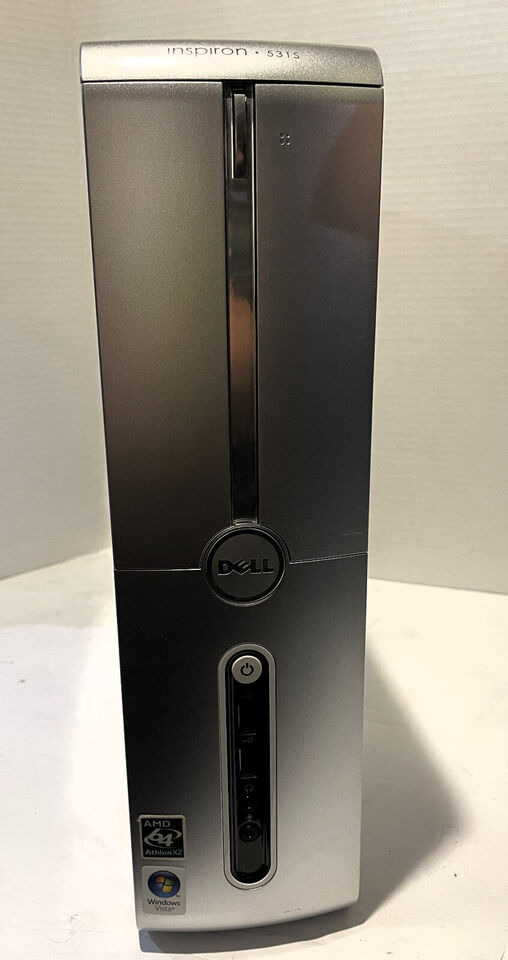
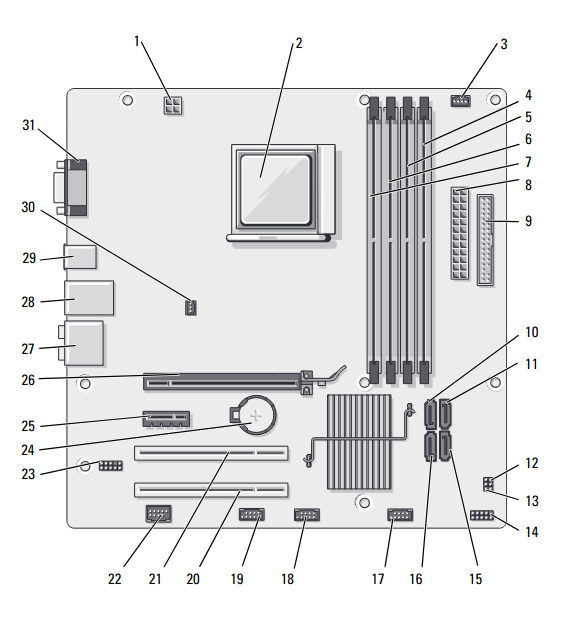
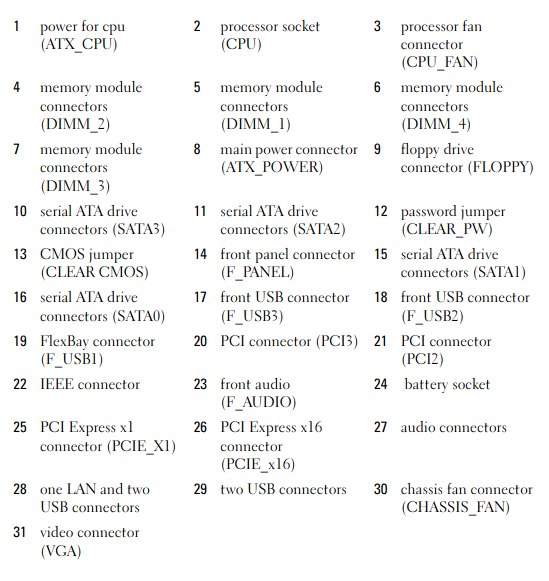
  • Digital Archaeology: Dell Inspiron 531s

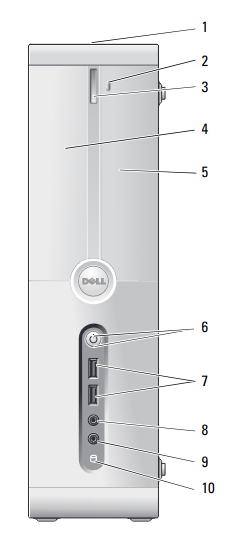
    The Dell Inspiron 531S is a slimline desktop. Dell made several models of a similar design in both Intel and AMD varieties. This particular one has a Athlon 64 X2 5000+. The Intel models (Core 2 duo based) used the 530s model designation. Hardware specs of this one include:

    • CPU: Athlon 64 X2 5000+ @ 2.6 GHz
    • Memory: 3 GB DDR2 @ 800 MHz
    • Video: GeForce 6150LE

    For more complete specs, check out the HardInfo report.


    When this desktop was contemporary, this CPU was reasonably fast. the GeForce 6150LE is part of the chipset and for an integrated solution, it was pretty good for the time but if you wanted to do gaming, you would still need a discrete GPU.

    The 3GB of RAM was pretty typical for the time. The reason being that, despite the fact that most CPUs were 64-bit by this time, Windows and most apps and drivers were still primarily 32-bit. This machine shipped with Windows Vista. There was a 64-bit version of Vista but most OEM PCs shipped with the 32-bit version. By the time 64-bit drivers for more devices were widely available, I think things were already moving on to Windows 7. Vista was not very popular.


    The fastest officially supported CPU on this machine is the Athlon 64 X2 6000+ which runs at 3.1 GHz (Socket AM2). This would be a modest upgrade with, very roughly, a 20% increase in performance. More significant upgrades would be the addition of a discrete GPU and an SSD. Moving up to 4GB would be helpful too.

    Given the small size and limited power supply, the GPU selection will be limited. Something like a GT 1030 or some other card that doesn’t require an external power connection would be the best card that would work for this machine. It would have to be a low profile card with associated low profile bracket. This would still be a massive improvement over the integrated video.


    This machine has an issue that I haven’t been able to work out yet. When ever I move the window for the BOINC application, the screen scrambles and the computer freezes. I’m not sure if this is a software or hardware problem. I don’t seem to have issues with any other application nor do I have problems using the BOINC app (provided I don’t move the window around) or any of the projects I run. There’s no temperature problem and otherwise it seems perfectly stable. However, I’ve run this version of Linux and BOINC on other machines with this chipset (though perhaps later revisions?) without any problem. I was going to try adding a discrete GPU. I have one that is small enough but I don’t have a low profile bracket handy. At this point, it’s been running with 100% CPU activity for a few days now with no problems so I’m not convinced this is a hardware problem.

    Speaking of BOINC, this PC is still capable of running most of the projects I normally participate in. These projects include Einstein@home, Asteroids@home, Milkyway@home, Universe@home, World Community Grid, and Rosetta@home though 3 GB is a marginal amount for trying to run Rosetta tasks. You can see how it is doing overall at FreeDC.